
Category: staff development

  • My #EdTechRations outtakes

    My #EdTechRations outtakes

    I recently wrote a post about contributing to a new book edited by David Hopkins called Emergency Rations #EdTechRations .

    Not everything I wrote made it into the final version and I wrote quite a bit about how I work in addition to describing the things I can’t do without. So below is my contribution with additional comments and images that shows what it looks like as work in progress.

    When I wrote the intro I thought about what makes certain things indispensable to me and why.

    As is becoming increasingly common, my place of work can vary a lot from day to day and mostly I work on the go, between meetings or on the way to give presentations. I don’t often meet the people I work with  in person. Instead we communicate virtually. Still, I have to be able to collaborate effectively, so most of the technology I can’t do without helps me to keep in touch and to work together.

    I try to find a balance between being contactable and getting space to think and get things done. So while I do have a smart watch, phone or laptop with me most of the time, I often switch all notifications off or enable flight mode.

    Chromebook & Google Apps for Education

    For about two years now a basic Toshiba Chromebook has been my constant companion. Bought initially to provide short term support during large events I have ended up using it for everything.

    As a piece of kit it certainly has its limitations, but for me, there are significant advantages: to start with it is cheap, robust and data is not stored on the device so I cannot lose it. It starts up quickly, it is easy to use and provided you either learn or know how to use the apps it runs it delivers a great user experience. I have learnt some short cuts that really make a difference and the support documentation online is constantly growing. I am very partial to the mobile devices I have running iOS because I prefer the user interface, but on the laptop ChromeOS does a good job and is constantly improving.

    Having limitations in what I software I can use has also had two other benefits: first, it has made my work more collaborative as practically everything I work on is shared. Secondly. It has forced me to take a simpler approach to complex tasks. I like the elegant simplicity I have become accustomed to.
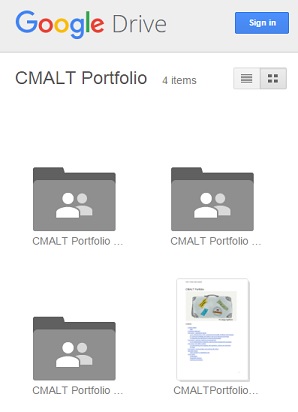
    I use as many different operating systems as possible because I like to keep in touch with what iOS/MacOS, Android and Windows feel like. Google Apps for Education help me switch between different devices and operating systems (nearly) seamlessly. Becoming more expert at using and administrating GAFE has had the welcome additional benefit of enabling me to support colleagues across the organisation better. I have also found it a useful tool for supporting professional development, such as building a shared, open CMALT portfolio .

    I have written quite a bit in this blog about CMALT (you can see a list of previous posts here). One of the things I wish I had was a better way of recording evidence of professional development on the go. I have tried all sorts of apps and forms, but haven’t found anything that really fits the bill.

    Headset, mobile data storage, power packs

    Other bits and pieces that I usually have somewhere in my bag are a headset or headphones, a variety of options for data storage big and small and also at least one power pack to charge up mobile devices. I am not very good at carrying around the right kind of adapters for various things, so I rely on being able to plug in my Chromebook and everything else has to survive the day without top up. I am not choosy about which particular make I have as too often these small items get borrowed by co-presenters or colleagues and end up to need replacing.

    Reading some of the other contributions to the book I was inspired by how much others think about the kinds of technology I described above. My shopping list has grown considerably since. These are often small essentials that can make a big difference.

    The other things I reflected on was the non-digital items I have included. Obviously educational technology doesn’t have to be digital, but most of the time that’s what we seem to end up talking about. I am still glad I included things like pen, paper and shoes… .

    Pen & paper

    However much I use my watch, phone or laptop, I use pen and paper every day and it is something I could not do without. It doesn’t matter what kind of digital technology I have at my disposal there are always times when putting pen to paper is my first choice. Drawing, sketching, writing – there’s no substitute for me. I have a green Moleskine notebook that I take everywhere and solutions to some of the most complex things I do at work start life as a scribbly drawing on the pages of that notebook marked clearly by the uneven movement of the train.

    Business cards, flyers or other printed materials

    I  work with many people who are skeptical about Learning Technology or indeed technology in general. No matter what the context is there is always someone who prefers to have paper in their hand. So in that instance all of the digital technology I carry around can be useless and I have to have some form of paper back up. Business cards or printed postcards or flyers can be useful here. They are also a good alternative for when the technology or connectivity let me down. And you never know who you might meet on a train.

    Shoes…

    However much I work virtually, walking places is a major part of my working life. Sometimes it is simply between one room and another within a conference venue, on other days it is through a new city. My watch or phone might be measuring the distance or help me navigate along my route, but clocking up the miles is hardest on my feet. Shoes that are still comfortable 12 hours into my day and get me as fast as possible from A to B are essential. Shoes can say a lot about a person. They are part of making a first impression, everyone sees them when you stand on stage or at the front of a lecture theater. Just like stickers on a laptop or pin badges on lapels shoes can make a statement about who you are and where you are going.

    Did I miss anything? Some apps maybe, stickers, pin badges like my CMALT badge for example… 😉 and I think there may be a whole section to be written on umbrellas – a technology four thousand years old that I cannot do without.

  • #LTHEchat reflections: metrics of success vs. stories of succeeding

    img_4487This post is inspired by taking part in a recent #LTHEchat tweet chat. If you haven’t yet discovered this excellent chat and have an interest in learning & teaching, go and explore their website before reading this. The topic of the chat was ‘what motivates us to use digital tools for learning and teaching’ and while the conversation was thought provoking the exchange that set my mind on a different tangent was the tweets pictured here with David Hopkins (@hopkinsdavid). Incidentally, if you haven’t already done so, this is a good time to discover the ‘Really Useful Edtech Handbook‘ David has edited.

    But now, back to my thought tangent. We tweeted about how reflection is useful and how reflecting on and sharing when things don’t go well is important. David then suggested that we can sometimes learn more from things that went wrong than what worked because we reflect more. And that got me thinking, because I reflect on why things worked or didn’t work all the time and and my working life is filled with ghantt charts, project plans and risk assessments that are all designed to help me understand and shape processes and why they work or otherwise. But I don’t think I reflect more on things that don’t work, because often I cannot afford for something to go really wrong – there aren’t a lot of spaces in my work where it is safe to fail. I am in a leadership position where a big failure can have serious consequences and my job is to make sure that this doesn’t happen. Instead, I think most about the things that went right for all the wrong reasons. And that is what this post is about.

    It’s a bit like the ‘known knowns’, the ‘known unknowns’ and so forth. There are things that go to plan and succeed, those that go to plan but fail, things that don’t go as planned and fail and then there are things that don’t go as planned but still succeed. You can easily imagine a pie chart that would show how all activities or projects can fall into these categories. If my plan is a good one it probably has enough flexibility built in to ensure that it can adapt to changes or unforeseen circumstances and still succeed. But it also happens that we arrive at the desired outcome, be that a successful project, resource or lesson, despite things going wrong. For example, if you end up having fewer people to work on something than expected, you might identify non-essential tasks and eliminate them. Or when faced with a problem someone might come up with an innovative solution. Or you might be able to reach your goal in a way that’s more efficient. The key for me is not in following the plan, but to reflect on the reasons why it had to change and to learn from them for next time.

    Yet, there is a difficulty when you succeed despite things going wrong I find, because when you report on success your audience will not question it in the same way as they would failure. Whether it’s a colleague, a customer or an Executive Board – successful outcomes are  noted and sometimes recognised, but also they can be taken for granted. When something works out we are quick to move on to the next thing, the bigger project… without really understanding why something has succeeded. Often the metrics of success do not reflect what it took to really deliver a successful course or new technology. The measures we set out are often reflective of impact, engagement, income… not usually of the number of times things had to change, how often plans amended or approaches adjusted. In very few instances do you wish to highlight to your audience all the things that went on behind the scenes to make what they are looking at possible. The final presentation, event or report is usually a sanitised version of what we went through, lessons learnt showing what we did right rather than wrong.

    I am generalising to a degree, but I do think it’s valuable to consider how we can learn from what succeeds and what doesn’t in a manner that is not as focused on outcomes. Openly sharing practice takes a lot of confidence and determination. Openly sharing the stories behind success AND failures even more so. Taking part in communities like the LTHEchat or indeed those organised by Members of ALT, the organisation I work for, can help with that I find. There is strength in numbers and reflecting on our experiences together can make it easier to share the more personal, less polished stories of we have in common.


  • #23things: taking a “flaneur” approach to discovering digital knowledge

    passages-3
    Illustration from Walter Benjamin’s Passagenwerk http://margininversi.blogspot.co.uk/2012/06/walter-benjamin-i-passages-di-parigi.html

    The Flaneur is one of my favourite figures, in particular in the writing of Walter Benjamin whom I discovered as an undergraduate. I was, and am, interested in the Flaneur as he is a useful device for exploring a city, for thinking about how urban life changed during the industrial revolution and beyond it – and because of the idea that walking with a tortoise as a fashionably slow accessory/pet one could discover the pace of observation. The Flaneur discovers the world at his, and I think it is a predominantly male, pace and directs his gaze where others may not even glance. I was thinking about this because I have been finding that my own engagement in the 23 things of the course by the same name has very much proceeded at my own, slow pace, sometimes on my own and sometimes in company. That is because I am taking part as part of a team (and I have written earlier posts about our approach) as well as spending time exploring some of the things that I have a particular interest in.

    As a team we are in the middle of block 2 of course content and in our weekly team meetings talking about the course has become a useful focus point for discovering common questions, exploring interests and discussing areas for professional development. We, as a group, continue to benefit from the course as a joint venture in learning new things and that in itself is extremely useful.

    But beyond our common participation I have been having a look at what the next few weeks of course will bring, what things I might discover… and to return to the Flaneur, I feel very much that there is a host of wonderful things waiting to be discovered in the arcades of digital knowledge before me. One topic in particular that I am interested in is Digital Curation. Not something I am overly familiar with and also a topic that encourages us to explore Tumblr, a tool I don’t use as yet.

    So, #23things, while the first 12 things have been very rewarding to encounter and discover so far, I am looking forward to the next 11 even more. With my trusty tortoise at my side I shall proceed at my own pace.

  • #23things: twitter archive, no facebook… social media reflections

    I am using thing no. 7 (Twitter) and thing no.8 (Facebook) of #23things to note some reflections on how I use social media. This is about my individual professional or personal use, rather than any organisational perspective.

    So, starting with Facebook, I find I have little to share. I am a reluctant Facebook user, strictly using it for personal relationships with far flung friends and for keeping in touch. Reviewing my Facebook timeline since I joined in 2007 reveals three clear trends: I post about the weather, the weekend and my cat. You could probably write a programme to auto-compose posts for my timeline and no one would know the difference.

    Over the past two years I have also had to use Facebook for a project, more reluctantly still, and I have to admit that I have a lot to learn if I ever want to leverage that network for my professional aims. Moving on…

    marentags
    Twitter archive using TAGS

    Twitter I joined a few years and 3k+ tweets ago – to provide holiday cover for someone who was travelling. It took me some time to get the hang of it, but since then it’s become a most useful space for me and I would echo many of the observations made by other participants in their posts about how valuable it can marentags2be. It’s easy to forget how few people in general are using it however and I find it irritating at times when media becomes to referential to what people have tweeted instead of finding other sources. Last year I installed Martin Hawksey’s TAGS twitter archive (read more about how to make your own) and ever since then I have been happily archiving my tweets and conversations. This is actually the first time I have had a look at the “top hashtags” in my own little universe of tweets and while it’s predictable to me it’s also interesting and useful and will probably be more so over time. I like tweeting about my own work as well as interesting or useful things I come across, but there is always a lot more on Twitter than I can follow. I dip in and out and enjoy the random things I find. Unless I am at an event I rarely tweet at high volume and I have plenty of days when I don’t use it at all. There isn’t always something to say.

  • Omni-directional expansion of the ‘Google me’: exploring my digital footprint in 10 screenshots

    Hello, and welcome to thing no.3 of the #23things course (also, this is my 100th post on this blog)… As I mentioned previously I am taking part in this course together with my team. If you are curious about our approach read the post, but here it is in a nutshell: we have given ourselves permission to lurk, audit, explore or participate in each thing as we deem fit on an individual basis. So… this is my attempt to contribute:

    img_4038This task starts with searching for yourself on Google and that’s where I have paused. It feels strangely personal writing about my own search results, but then of course that is the point of the exercise. This information is already in the public domain and easily discoverable by anyone. Why did searching for myself give me reason to pause? I want to explain why, using 10 screenshots I took:

    Front page: The most public version of ‘me’ is on the first page of results. Like most of you I monitor the information about me online regularly and the results presented here are what I expected. It’s sometimes surprising how high events I participate in appear in the search results, but so far, so good.

    img_4036Old News: In contrast to the first search results, this is not a list I look at frequently, but I’m already uncomfortable. Giving interviews or quotes is a circumspect business but no matter what I say it can read badly after a few years  (or sometimes far sooner). Looking at this list also reminds me that I am not consistent when it comes to archiving news items, so I suppose one advantage of having whatever you say archived and indexed is that you can compile at least a partial list at a glance. Next!

    Videos: I often ignore how much video there is now of img_4037me. Granted, it’s a tiny amount in comparison to others, but not even 10 years ago there was no video of me at all. In most cases the video is a recording of a live event either in front of an audience or online. It’s often improvised, never polished and can make for cringe-worthy watching for me. On the other hand, some of my favourite moments in my professional life have been in front of an audience, so on balance I think I am glad to have these videos and hope that some are useful or interesting to others.

    And now… images: this is where you can go down all sorts of rabbit holes and find surprises. First up: pictures in weird settings or combinations:

    img_4034

    img_4033

    Images I have no control over and that are ranked highly, can feel like an annoying part of my digital footprint. In other instances the images are not of me, but made by me or posted by me at some point in the past. It can be fun to rediscover a former self , but it strongly reminds me that each time I publish anything, this post included, I make a decision to add to this expansion of stuff about or by me:

    img_4032

    img_4029

    img_4030

    Some images, like this one above for example, I posted at some point and thought I had removed. Others, like the one below, are a blast from the past. In this instance it shows an outdoor trade-show of funerary wares, mainly coffins, that I visited as part of my doctoral research.

    img_4031

    Finally, there are also images I post on sites like JustGiving, when I was raising money for Cancer Research. I am not sure how I will feel seeing this in a few years time, particularly if my personal circumstances or those of my family are different by then. What if you find images of raising funds for someone who is no longer with you? img_4035

    All of this information about me is on the surface. I haven’t really started digging into what else you can find about me online and there are dire warnings about what can be done with personal information that isn’t safeguarded. That’s one reason why I am taking part in this course. Being online, particularly as an open practitioner, is making yourself vulnerable. Josie Fraser gave an inspiring keynote at ALT’s Annual Conference this year and I’ll end this post by encouraging you to watch it. Don’t let trolls follow your digital footprints…

  • #23things: Getting started with a team

    img_3141
    Team-made biscuit plate…

    As I mentioned in my previous post, I’ve signed up for some new open courses this autumn. Since then, I’ve encouraged my colleagues from the ALT staff team to join the 23things course and we are now embarking on it as a team.

    Like many organisations we are always looking for effective ways to provide CPD opportunities around use of technology and I think the course looks like a great way to meet that need. Given that we are a small, distributed group a course that is wholly online and has some flexibility as to when and how you learn seems ideal.

    As we want to take part as a team, we have set up some additional “taking part” support, including adding a discussion about our experiences to our weekly team meetings and a shared Google folder and doc “scratchpad” for everyone. While we are taking part in an open course I also want to create a safe space for everyone to experiment and share their views without them being public.

    So, I am joining in with this first post about what I’d like to gain from the course and also some reflections on the social media guidelines that we follow:

    First, social media guidelines: that’s something I think about quite a lot and as well as the guidelines of our host institution we publish our own policies governing our different platforms. Some of us are very active on social media, others less so – but events and membership activities are increasingly finding their voice on different platforms. So, as well as developing various digital literacy skills, the course will provide an opportunity for us to talk about our approach to social media as a team. I found Eric Stoller’s talk at the Jisc Digifest very inspiring on this topic.

    Secondly, what do I hope to get out of the course? Learning new things is definitely the top aim, but this time round I hope we can learn something new together. In our organisation we move very quickly from one project to the next and sometimes there isn’t enough time to enjoy the process of finding a solution to a problem or implementing something new. I hope the course will provide a way for us to share more of that experience.

    Open/closed? I have thought quite a bit about writing this post, because in the past when I have shared my practice openly I haven’t written directly about the colleagues I work with daily. There is a lot to consider when you share your practice openly and my own participation should support and contribute, not hinder anyone else’s progress. So I think the approach I will take is not to write about anyone’s personal experience or journey – or at least not without their express permission. I won’t share anything unless it is already in the public domain (and intentionally so) and with my colleagues’ consent. And I will contribute, just like my colleagues, in our internal spaces as well as this more public forum.