Author: Maren Deepwell

  • Blogging #4life, now with added community.

    Blogging #4life, now with added community.

    The game is heating up in the blogosphere… so I better jump in and join the fun. Commenting (of course), and blogging. What’s happening is… a new community of practice all about blogging. Blogging in Higher Ed. Blogging for Educators. Blogging for life (#4life).

    Time to get remixing your badge and get ready to follow Jim Groom’s call to action:

    …it’s high time to let your blog flag fly. Dust off that archived site, or better yet start your very first one, and join Bloggers Anonymous to help kick that addiction to corporate social media. We’re hear to help, think of us as your blog sponsors in the original sense of that word: ongoing support and encouragement through un-monetized comments.

    Over on the Reclaim Blog you can find more info about what’s in store and how to get involved:

    Join in

    We have a dedicated channel set up in our Discord Community Space. This is a friendly social space where everyone is welcome and which is free to join. There’re also live events coming up, so keep an eye on our events calendar in the coming weeks.

    What to expect

    Let us know if you have any ideas for community activities, questions you’d like us to cover or support you’d find helpful. We are planning to:

    • share blogging tips and inspiration via the channel;
    • collate open resources and contribute our own;
    • organise monthly live sessions with guest presenters;
    • encourage everyone to share blog posts, what works for their blogging practice or what is stopping them from blogging.

    Thanks to the ever awesome Bryan Mathers and his fabulous remixer machine, there’s plenty of scope to join in and have a bit of fun, all the while preparing for that next post.

    And if you are looking for inspiration to get your blogging mojo back, have a look at a post I recently shared with handy tips for blogging that I like to use to keep my practice going.

  • Reviewing my tech stack III: Openness in Practice

    Reviewing my tech stack III: Openness in Practice

    As promised, here’s an update on how things are going when it comes to using technology. If you have missed the first two posts, have a look at me taking stock of the tools and platforms I currently use:

    One of the things I have taken as read so far is all things open, and what values inform my considerations when it comes to technology. When I think about work, it’s important to me that what matters to me shapes what I do and how I work.

    What matters to me?

    I love running my own business that reflects my values and generates a living, too. Having worked in the not for profit sector and with small businesses all my life, I have learnt how to harness the power of one to make a difference. That said, it’s hard to articulate sometimes how that works in practice, specifically in my work context, how do I put my values into action. Here are some examples that came to mind:

    • my books and publications are open access and free to all, including this blog, where I have been publishing my thinking for nearly 20 years;
    • professional, ethical practice is key to my coaching and my courses. That is why I am an ACC-level certified coach and a member of the International Coaching Federation and I continue to develop my practice and critical thinking around coaching and leadership;
    • I offer 10% pro bono places for both my 1:1 coaching and courses, enabling folk to get the coaching they need or try it for the first time, absolutely free;
    • My work is hybrid by design with digital wellbeing in mind, and I offer blended, hybrid and full online coaching and courses.

    So, my technology choices should ideally align with my values around openness, ethical practice, good value for money, digital wellbeing and meticulous informality, which sums up my approach as a whole.

    Video Conferencing

    Now, my current tool, Zoom, doesn’t align well with most of these principles, but it does have the upside of being a familiar platform for many. That in itself helps me during coaches and courses as it enables my clients to focus on the work we are doing rather than the platform that facilitates it. That is valuable.

    Current platform: Zoom

    Cost: £15.59 per month
    Pro: Personal meeting room, easy scheduling, familiar to most, no log-in required, reliable recordings
    Cons: AI integration is on the increase, concerns about business model/data privacy, expensive

    My current contenders for alternative tools are: Google Meet (easy for me, but not always a good option for folk because of log-in issues), and Whereby.

    Alternative option 1: Google Meet

    I’m very familiar with Google Meet and I have used it for years in previous roles.

    Cost: included in my Google Workspace subscription and includes a free option, too
    Pro: Integration with my calendar, easy scheduling, very robust, reliable recordings
    Cons: AI integration is on the increase (but I have more control over it as a Workspace admin), sign in from other orgs/or no Google account can be glitchy

    My sense is that trying this option with individual clients and personal meetings would be low risk, and could help establish whether this could scale up for me.

    Alternative option 2: Whereby

    I’m also quite familiar with Whereby and I have used it for years in across various organisations.

    Cost: $8.99/month or $89.99 annually for the professional option
    Pro: Personal meeting room, custom branding/background, no log-in required, reliable recordings
    Cons: none that I can find as yet.

    This feels like a really good alternative to Zoom for my purposes, and has in practice proven to be very reliable and easy to access for all. I also like the fact that this is a smaller platform dedicated to this purpose, rather than a complete workspace solution.

    There are of course other options I considered, including Streamyard, but for my specific context these two options feel like the best fit.


    Image: Photo by Carl Heyerdahl on Unsplash

  • Reviewing my tech stack II: Socials

    Reviewing my tech stack II: Socials

    I recently embarked on reviewing my tech stack (read the first part) and as soon as I published the post, I realised the socials weren’t really covered and yet form a big part of my communications tech stack. So in this post, part II if you like, I’m going to focus on my social tech stack.

    Now, I won’t be mentioning Twitter as I haven’t been active on there for a few years now, ever since I deleted my account. That won’t change. Enough said.

    Professional social channels – Share, like, follow

    I have some cross-over between personal and professional channels, but I try to avoid it wherever possible. It helps me stay offline more and helps folk reach me for work stuff via channels I am responsive to.

    BlueSky

    At the moment, BlueSky is my favourite social network, and probably where I interact the most with folk. Thanks to a lot of stirling work from folk in the education and edtech spaces creating lots of starter packs, I found finding folk I want to follow (apologies for the unintentional tongue twister) really easy. I love the vibe and the interactions, and I post a lot of updates there. Account: @marendeepwell.bsky.social

    Instagram

    A lot of my work ends up being quite visual, and I love sharing it via images. Instagram is a platform I started using more over the past few years, and I find it really helpful to connect with coaching folk. Account: @marendeepwell

    I should mention that I actively NEVER browse Instagram, and don’t use most of its features. I don’t produce video for it, and I don’t use or watch reels. My mute button is always on, so for me this is a quiet, static platform. I am not sure if it’s the luddite in me or simply my age, but I don’t crave more video in my life, hence Instagram stays mostly images and I don’t use TikTok. I did try it, and deleted it again after a day, which reflect my personal preferences as to how I like to engage with my online world.

    LinkedIn

    I have a love/hate relationship with LinkedIn, and its user experience baffles me. I really dislike its automated emails, have switched off pretty much all notifications, and struggle with the general tone of much of the discourse, but it IS extremely useful to me and the largest network I have on any social network nowadays. Account

    Mastodon

    I use Mastodon mainly for keeping in touch and connecting with edtech/open ed folk, and I really appreciate the federated space it offers. Having learnt at least a little about what it takes to run these servers and keep them alive, I especially appreciate Mastodon, but the downside is that its activity level (at least for me, and in the way I can engage) is quite limited. Account: @marendeepwell

    Threads

    Threads is probably my least active federated social media app, and I don’t particularly enjoy using it. Many folk I interact with on Instagram don’t seem active on here. No strong feelings, but I don’t use it much. Next.

    Podcast and Newsletter – Share, like, subscribe

    In part I, I mentioned the podcast and newsletter already, but I wanted to revisit them here as a way to keep in touch and connect with folk.

    Personal social channels – Family & friends

    These are really only used for people I actually know in person.

    Messaging Apps: Threema, WhatsApp, DMs

    Confession time: I am not a big fan of group DM chats. I join none unless I really need to and I am currently in less than 3. Unlike many people I don’t live in WhatsApp. I delete messages and conversations regularly and I switch off whatever I can in terms of notifications, live status and so forth.

    Also, I text in full sentences. With punctuation. And I am an old fashioned emoji user 🙂 . I don’t type with more than 2 fingers on my phone, mostly just one 😉

    I have a few friends with whom I use specific apps/methods of communication that keep us in regular contact and I deeply value. But mostly it’s just sending letters by post.

    Facebook

    Would prefer to leave. But can’t easily do so. But considering it. Sporadic usage. Sometimes useful.

    Instagram

    My personal account is private and very small (around 50 folk). It’s where I share pictures of my dog Posey, pizza and my day to day home life. It’s the most unedited of my social media accounts. For better or for worse.


    Image: Photo by Carl Heyerdahl on Unsplash

  • The Hybrid Working “1% Better” List

    The Hybrid Working “1% Better” List

    Since I first published this list of 25 obvious, yet effective, ways to improve your working environment, all the way back in 2022, it’s become one of the most read posts on my blog. Many of my coaching clients and course participants come back to this again and again, to find new ways to tweak their set up and improve their working environment.

    Given that we are once again in January, and given that this week I’d do just about anything to make work a little easier, I’ve gone back to review and update the list to include a few new things and approaches. There are a lot of things you can try to make your day a little more comfortable, calmer and more balanced. What will make a real difference to you depends on the way you work and your personal preferences.

    What makes this approach work (for me at least) is that the aim is to start thinking about making very small, incremental improvements, not big or radical changes that new year resolutions so often come with. I can always find ways to make myself 1% more comfortable, even on a bad day. And along the way, I gain a little more awareness and distance from being lost in digital productivity curves.

    My “1% better” list

    Use this list to find ways to make a small change, or maybe two, and see how things shift:

    Working environment

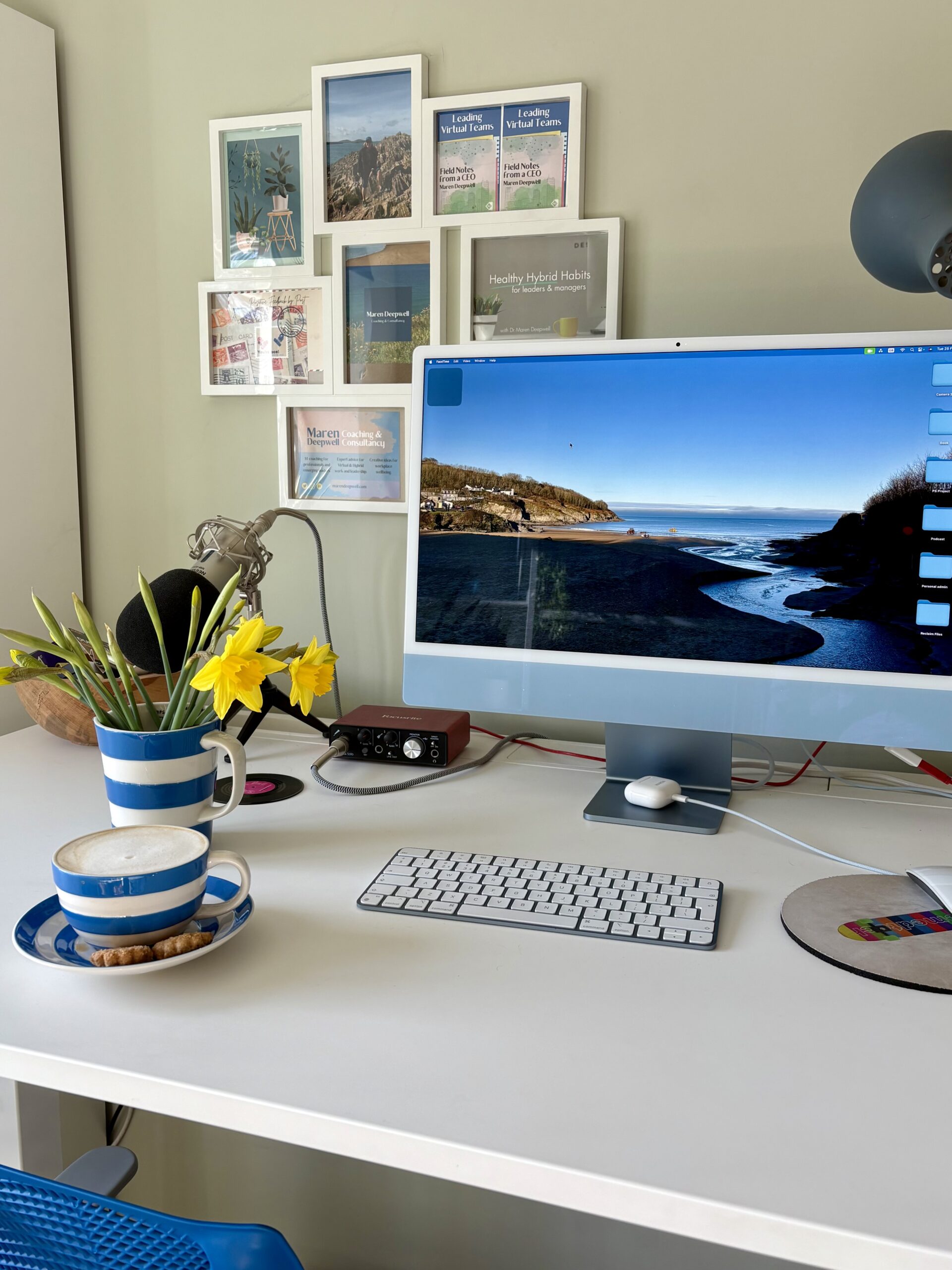
    • lights for different times of day, i.e. a work lamp, SAD lamp, fairy lights, a candle
    • a selfie or ring light
    • A place for a pet to be… if you can persuade them
    • a place for papers/desk tidy
    • open window or fan
    • heated seat pad

    Work set up

    • a new mouse mat or a mouse you like
    • wrist rest/mouse rest
    • glare protector
    • foot rest (cushion or yoga bolster can work, too)
    • headphones that suit your ears

    Stepping away from the screen

    • an alarm or similar that reminds you to take regular screen breaks
    • a physical reminder to go to a different room/downstairs/outside
    • cushioned slippers or shoes (particularly handy for standing desks)
    • a paper planner/diary you can use away from the screen to think/plan
    • a lunch date/appointment with someone away from your desk

    Engage your senses

    • scented candle or a diffuser for aromatherapy oils
    • music
    • new flavour hot (or cold) drinks to try such as new herbal teas or coffees
    • a secret snack stash (healthy or not)
    • something tactile like a soft throw or a fidget toy
    • a pet

    Analogue joys

    • a plant
    • a nice coaster
    • photos/pictures/art
    • a rock or shell from somewhere you like
    • record player

    Healthy habits

    • eye mist and glasses that help filter blue light
    • a water bottle
    • cleaning products for your workspace, i.e. eco wipes, disinfectant, screen cleaner
    • find a window sill or high shelf you can use as a place to have meetings with your laptop or a sit stand desk or desk shelf

    A few notes…

    If you haven’t done so in a while and especially if you have recently moved things around, checking in on your work set up from a basic health & safety perspective and reviewing display screen equipment guidance is a good first step.

    Many of us easily ignore or tune out constant factors that make working uncomfortable, like glare, noise, a bad chair and so forth. Try and look at your set up with fresh eyes.

    Ask yourself, if someone else had to use it for a week, what do you think they might like or find difficult?

    Support from your employer with purchasing office equipment for home working (or if you are self-employed here in the UK, you can apply for support with office equipment costs from the Department for Work) should help with making bigger changes, such as buying an adjustable desk, a suitable chair and other equipment.

    What are you going to try to make your day tomorrow 1% more comfortable?

  • Reviewing my tech stack: Part 1

    Reviewing my tech stack: Part 1

    As I get back to working and blogging after a nice break, my focus is on getting my digital domain on order. Since starting my own business I have added all sorts of services, subscriptions and platforms to my tech stack, and as my work has evolved, so have the tools I use.

    My aim for this review is twofold: first up, I want to make sure I am not paying for services or subscriptions I don’t actually make good use of, and secondly I want to make sure that the technology I do use is, wherever possible, aligned to my values. I should probably thank Zoom’s “we are an AI-first company” announcement for prompting me to find an alternative video call platform, ideally one that put humans before technology.

    I am blogging about this as I go along, so let’s see what happens. In the interest of transparency, I have added some current costs as well as my “status” and a personal “overall” evaluation. This is not meant to be anything more than my personal view.

    To make it easier, I have come up with three headings to group tools together:

    Organisational infrastructure

    Tools and platforms that help me run by business day to day.

    Google Workspace

    My business, small as it may be, still needs an organisational infrastructure, and after trying out various alternatives I have settled on Google Workspace to provide that. It’s a tool I have used for over 15 years, and it does exactly what I need it to, reliably and cleanly.

    Google Workspace provides my email, file storage and video call capabilities for informal calls and meetings. It’s where I work and live day to day.

    Cost: £6.00 per user per month
    Status: Here to stay
    Overall: Excellent

    Asana

    I use Asana to plan out by business objectives, and to schedule recurring tasks and actions from completing my tax return to logging CPD coaching hours. I used Asana in my CEO role and I use it also with other teams at the moment, and it has great utility in those context. For me personally, my little Asana instance of one user is a dream as I have been able to customise it exactly to my preferences and I use it pretty much only to plan out annual cycles of work or larger projects.

    Cost: free (at the level I am using it)
    Status: Here to stay
    Overall: Excellent

    Stripe

    Having tried pretty much every payment processor out there at some point, I had no great hopes for trying out Stripe. Fortunately I was wrong. For my (low volume) purposes, Stripe offers all round excellent functionality. It’s a standard fee structure, and I found it a pleasant surprise that most people seem to get on with paying invoices happily and quickly without support.

    Cost: transaction fees depending on turnover
    Status: Here to stay
    Overall: Excellent

    Domains, blog and newsletter

    This warrants its own category because it’s so important.

    Reclaim Hosting

    My primary domain, https://marendeepwell.com/ , is where my WordPress blog lives, and it’s been safely and happily looked after by Reclaim Hosting for over a decade. I am a big fan of this independent hosting company for many reasons, including their excellent service, personable support and fair pricing.

    I have been a Shared Hosting client for a long time and was also converted to Reclaim Cloud as my needs grew. I also have several domains which I manage here.

    Cost: Shared Hosting $60 per year + top level domains. Reclaim Cloud costs depending on usage.
    Status: #4life
    Overall: Excellent

    My blog and domain on Reclaim include my newsletter and mapping of my domain to my Google Workspace email account.

    Newsletter, MailPoet and Mailgun

    Since I started my newsletter, I tried out various WordPress plug-ins and also MailChimp and its equivalents. Eventually I settled on the Newsletter plug-in, and Mailgun to manage the actual sending of the emails.

    More recently, I started experimenting with MailPoet as an alternative and I am as yet undecided which one I will go with. MailPoet seems attractive as it has a nice design interface, and its integration with WordPress feels more light touch than the recently updated Newsletter plug-in, which is trying to integrate the blog and newsletter more closely (which I am not keen on).

    Cost: Mostly free.
    Status: in transition
    Overall: could be better

    Course/coaching delivery

    A lot of my consultancy work takes place within organisations who have their own tech infrastructure set ups, from security and sign-ins to file storage and video conferencing tools. Like many others in similar roles, I manage multiple profiles for platforms like Teams or Google or Slack. When it comes to delivering coaching and courses independently however, I try to find balance between form, function and feasibility.

    Zoom

    This is the platform I use nearly everyday and which I like the least. Despite the fact that it is reliable and easy to use, this is a platform I dislike and would like to find an alternative to. Ideally something more light-weight and less objectionable. For my purposes, I really *just* need a video call platform that offers recordings, and nothing more.

    My current contenders are: Google Meet (easy for me, but not always a good option for folk because of log-in issues), and Whereby.

    Cost: £15.59 per month
    Status: moving away from
    Overall: dislike

    Squarespace Courses

    In 2024 I started offering coaching courses, and tried out a whole host of platforms, starting with WordPress, dedicated course platforms and so on. This platform offers the functionality I need in terms of managed access, offering a fully accessible course design, it’s mobile friendly and relatively easy to learn (for me). As I produce my own course resources and (audio) content, this was the only platform I tried out that work for short-term development like courses and still resulted in a professional finish.

    Cost: £100.51 for 12 months (course module)
    Status: Working well
    Overall: Like the finish

    Moo

    Moo is a printing service that I love and I have used for many years. I use it to produce printed materials for my coaching, workshops and courses. It’s especially good if you need small quantities and lots of different versions of the same content.

    Cost: depending on product
    Status: Here to stay
    Overall: Excellent

    Personal productivity and communications

    This is a catch all category for everything else I use.

    • Canva: I have a love/hate relationship with Canva, and am always looking for alternatives. However I do find it exceedingly useful, especially when it comes to producing coaching materials and printed designs. After being offered the opportunity to pay 300% more per month earlier this year, it’s pricing has remained at £10.99 per month for me, for now.
    • Buffer: a tool which can schedule posts across various social media platforms. I do use (the free) version, but not enough.
    • Calendly: another tool which I use currently in the free version, but which I make limited use of.
    • Fission and AudioHijack: audio recording, streaming and editing, Excellent tools I bought licences for very happily and which I couldn’t do without.
    • Spotify for Podcasters: a podcasting platform experiment that stuck. Would like to move away from, but not a priority.

    In part 2, I’ll report back on what has changed and how I got on.


    Image: Photo by Carl Heyerdahl on Unsplash

  • The year in blog posts… 2024

    The year in blog posts… 2024

    Over the last couple of years I have started to round up the year with a final post of blogging about blogging. Last year’s post told the story of the 72 posts I wrote in 2023, and this year I am sitting pretty on… well, read on to find out.

    Back in June I took stock halfway through the year, and found that I had I published 35 blog posts in the first six months of the year, slightly fewer than over the same period the previous year (43), but still an average of six per month. March was the month with the most posts (thanks to lots of things to say about open education) and June was the month with the fewest (thanks to a deeply relaxing two weeks away and offline).

    Since then, I have added another 30 to the total, which brings me to 65 blog posts for the year!

    Hat tip by @visualthinkery is licensed under CC-by-sa. Remix by Maren Deepwell.

    Blog OR DIE! (Hat tip to Jim Groom)

    Now in this era of digital productivity, when the pressure to keep all your personal tracking graphs and dashboard trends pointing ever upwards, publishing fewer posts this year than the year before may not look – I am not actually sure what to put here. After all, what, I wonder, would “blogging success” actually look like?!

    Let’s just say that for me (and as this is MY blog, it’s me who sets out measures of success), this year has been one of fabulous blogging. I have enjoyed it, I have indulged in it and I have kept my practice alive and kicking!

    Over the summer, in the run up to the DS106 Radio Summer Camp, Jim and I had a conversation in which he came up with the slogan “Blog OR DIE!” and we ran with that as the plenary session of the event (and a lot of fun that was, too). Ever since then, the phrase has been stuck in my head as a battle cry for what I want my professional practice to be… and I have found in it both inspiration and motivation to keep going.

    So thank you, Jim Groom, patron saint of indie edtech, for reminding (not just) me how important it is to use the voice we have and the domains we own, to shape the open web.

    Top 10 posts

    And here, for a bit of fun, are this year’s “top 10” posts:

    1. Post that made me smile: … we did it again.
    2. Post that I stopped writing: Small things. Celebrated.
    3. Post that prompted fun conversations: Updating my short bio… or ‘Hello, I’m a dog person’
    4. Post that was the most useful to folk: How to get your blogging mojo back.
    5. Post with my favourite cover image: Christmas Jumper Day. A story.
    6. Post with the most comments: Twenty years of blogging… now on ReclaimPress
    7. Post that was shared most widely: A milestone moment on my coaching journey
    8. Post that was read most widely: What happens to our senses in the hybrid workplace?
    9. Post that had the most successful podcast companion episode: Six months of gold dust.
    10. Post that I enjoyed writing the most: The joy of not working.

    January (6)

    February (6)

    March (8)

    April (5)

    May (6)

    June (4)

    July (6)

    August (3)

    September (5)

    October (4)

    November (5)


    December (7)

    Thank you, dear readers and fellow bloggers, for another year of blogging – #4life.