Category: CoachingResources

  • My personal vault. Or what I learnt from a decade of progress tracking

    My personal vault. Or what I learnt from a decade of progress tracking

    I made a fun discovery today: It’s now been over ten years since I started this list of things I have done. Wow! I had no idea it had been that long, and seeing those entries from 2013 made me pause and reflect on the habit of keeping the list, a decade in the making.

    Why did I start tracking progress in this way?

    My archive page is a lot like a personal vault. If you scroll all the way to the bottom of the page you’ll see that at the start I added some entries a bit like you would on a CV. I added dates of degrees I completed and images of things like my doctoral thesis from 2008:
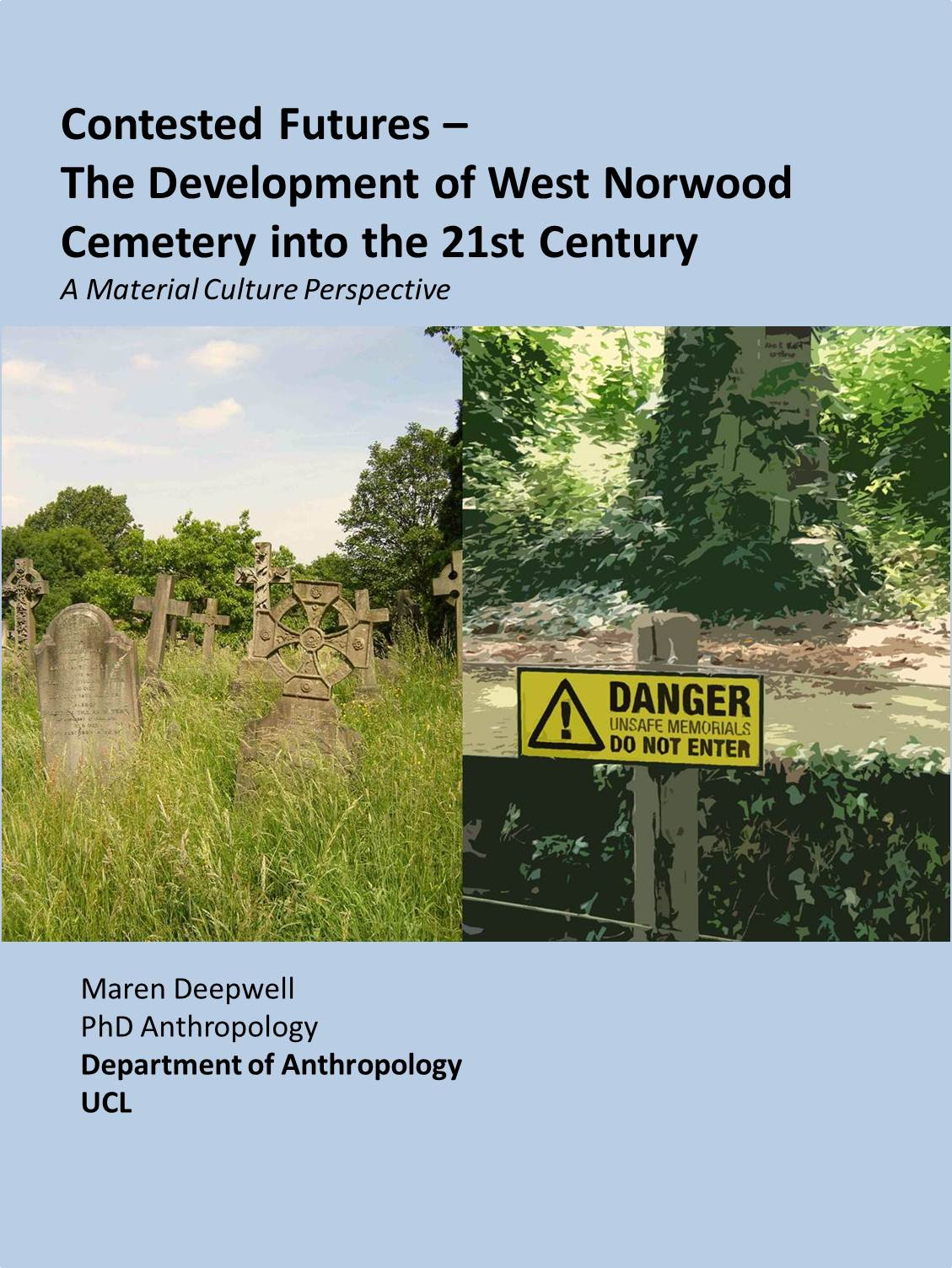
    Initially, I added these things as I was moving blogs, and I didn’t want to loose track of what I was up to. I was just in the finishing years of my graduate studies, and started working full-time and I had no real idea of what was going to happen next.

    For a while, in the first few years of working at ALT, I didn’t really keep a record of anything until I started blogging publicly again in 2010 on WordPress, rather than my old Google Blogger sites. But then from 2013 onwards I started keeping a running list of projects I completed, conference papers, media stuff and so on.

    Looking back to 2013, this entry makes me smile: June: Radio 4, Today Programme . Not particularly helpful for anyone other than myself, but it does bring back the morning I spent nervously sitting next to a very intimidating John Humphreys in the BBC radio studios in London. Similarly, in 2014 I went to the European Parliament in Brussels… noted in a similarly cryptic entry, but equally memorable for me. And although the 2015 link to an appearance on Parliament TV still works, many of the older links have rotted.

    As we progress through the years the list of things I recorded each year becomes both longer and more comprehensive, particularly as I started to add links to blog posts on my own domain that contain a lot more information about a specific event or project. 2020’s entry is a bit shorter, but it looks remarkably ‘normal’ given everything that happened that year.

    What do I use it for?

    So, how is this useful?

    Well, the practice of making the list and adding new entries to it is useful to me in itself. I could probably use a tool to compile this kind of information for me, but there’s great value for me in the act of processing what I have done and reflecting on it as I make the list.

    For example, adding new items to the 2024 section of the list earlier today made me realise just how busy a year I have had so far, and we are only three weeks into it:

    So on a regular basis, as I publish something or a new project gets scheduled or completed, I will update the list, add links and date each entry. Wherever possible I try to capture what I am doing in a blog post as I add it to the list, so that I don’t have to rely on external websites to retain the information.

    Then, on a monthly basis as I compile my newsletter, I refer back to the list, and cross-check what else I may want to mention. This is super helpful for me and makes compiling the newsletter pretty easy.

    I also use the list as an archive in case someone asks me what talks I have recently given or what papers I have published on a particular topic and I make use of it for reviewing my progress or performance.

    It’s a kind of super power when it comes to things like annual appraisals or planning career development. It doesn’t take me long to answer the questions like ‘What have you done in the past year ?’ or make a list of articles I have published. That is magnified if I want to write end of year reviews or reflections.

    It’s important to me to keep learning and developing and over the years keeping this archive up to date has become a natural process of my workflow, just as blogging or journalling have become part of my practice.

    Tips for starting your own archive

    If you are keen to start your own list, get started with literally anything. You could add a workshop you have run or an event you attended, or even books you’ve read. You could add projects you have been involved with or led, or papers you have published.

    The key is not to worry whether something is worthy of being included, and to simply include everything. I find once you start making a list of everything, things quickly amount to more than expected.

    Over time, as you practice keeping the list, the satisfaction of adding to it will become a good motivator for keeping going but initially it can be difficult to find the courage to get started.

    You might prefer to keep your list private, which is completely fine. The reason I have mine on my blog is that I am comfortable working here and I use my blog every few days. It’s a convenient place for me to refer back to or to send people to, but I don’t think the page that shows my archive gets a lot of visitors.

    For me however it is priceless, and it reminds me when I have low days how much I have achieved over the years. Maybe your list will do the same for you.

    One consideration for me is that I want to do what I can to keep the data safe. That is why I don’t rely on a platform like LinkedIn to keep this information. In an ideal world I might update the information somewhere like that, a network where folk who consider working with me might more easily get an idea of what I have accomplished. However, although that would be useful, I don’t trust that the information will still be there in 10 years or that it won’t suddenly get reformatted or repurposed as platforms change. Thus, I keep it here on my own domain first and foremost, and I update everywhere else when I feel it’s necessary.

    So, good luck if you are just getting started and kudos to you if you are already on your way to keeping that precious list of everything you’ve done.

    Subscribe to my free monthly newsletter!

    [newsletter_form type=”minimal”]

    Cover image credit: Photo by C M on Unsplash

  • Summer coaching inspiration

    Summer coaching inspiration

    I’ve put together three ideas to try out whether you are having a busy summer or taking a break. So if you are looking for some inspiration and ideas to recharge for the next academic year, have a go:

    Tips for a week of complete rest

    It’s taken me a long time to be able to step away from all types of work all together, and for me, having a complete week off is a big achievement.. as well as a reflection of how busy I have recently been. I took some practical steps to ensure that I had a complete break, and I wanted to share some tips that worked for me:

    • I completed a holiday handover, with my amazing colleagues and deputy, and then logged off all work systems completely on my last day at work;
    • No laptops came on holiday, and all computers at home where switched off when work ended;
    • I deleted all work-related apps from my phone or switched notifications off completely, included direct messaging, emails, and task management apps;
    • I logged out of/deleted all social media apps, like Twitter and LinkedIn, that I only use in a professional context;
    • calendar notifications were switched off or paused
    • A simply note to make a list of anything that I thought of, which were work related and which I wanted to pick up upon my return;
    • I intentionally packed books, audiobooks and other entertainment that would help me focus on things other than work.

    >> Longer read

    How to make a milestone map

    Many of my clients are looking to make progress in their work or personal lives: to make a change, develop their career path or build personal habits. Many of us have goals like ‘progress in my career’ or ‘be happier’… but it can be hard to break down exactly what to do in order to achieve our aims and define what ‘success’ means to us. In this post I share practical steps to help you put your goals on paper and break them down into achievable chunks, including:

    • How to choose a format that works for you
    • How to pick your goal(s)
    • How to turn goals into milestones
    • How to check your map

    >> Learn more

    List of 100 Dreams

    I am always on the look out for new tools or resources for coaching, and I want to share this one I came across in a blog post by Laura Vanderkam: It’s called a ‘List of 100 Dreams’. If this is a new concept, then head over to Laura’s blog to read more about the original exercise from Career coach Caroline Ceniza-Levine and how Laura has used this exercise as part of her work on productivity and time management. The ‘List of 100 Dreams’ is exactly that: a long list of things you wish to do, have or devote time to. In essence, it’s a very long bucket list. 

    I felt this was a lot of fun to try out, so if you are curious to learn more and try this for yourself, here’s how to get started.

    >> Get Started

    Enjoyed this post? Get my free monthly newsletter directly to your inbox.

  • How to make a milestone map

    How to make a milestone map

    Many of my clients are looking to make progress in their work or personal lives: to make a change, develop their career path or build personal habits. Many of us have goals like ‘progress in my career’ or ‘be happier’… but it can be hard to break down exactly what to do in order to achieve our aims and define what ‘success’ means to us. Here are five tips that will help you create a milestone map that works for you:

    Choose a format that works for you

    It’s hard enough to set out a milestone map without having to do battle with the interface. Maybe you are someone who thrives on learning all about a new productivity tool (hello, fellow Asana fans), and if that’s the case, then use that extra motivation to get you started in a shiny new template. If pen and paper seems more attractive, or post-it notes on a whiteboard get you thinking, then choose those. You can use pretty much any format you like. The key is that you need to pick something you can easily work in, add to over time and access, and something that will enable you to add a lot of information if you need to (when you break down goals like ‘develop my career’ into smaller, actionable tasks).

    If you have a work tool that you need to use for a performance review or appraisal, then ideally start somewhere else and late copy your finished thoughts into the required format. Give yourself space to think first and foremost.

    Pick your goal(s)

    Is this map going to help you plan out the next five years? Focus on finishing a book or a project? Is this a map to a career transition, a healthier you or a bucket list? Do you already know exactly what you are aiming for?

    • If you have a clear goal: then set out your parameters first. For example, if you are planing for a writing project, note all the specifics such as word count, deadlines and so forth. For example, if your goal is to: submit a paper to a major conference; this could be made more specific: Submit a 5,000 word research paper to a conference by July.
    • If you are searching for clear goals: often it can be hard to set out goals straight away. It’s helpful to think about broad categories to start focusing, e.g. ask yourself what timeframe you are planning for; what aspect of your life you want to think about, such as work, family, relationships, hobbies, self; consider what’s important to you and how this can be reflected in your plans. For inspiration, have a look at the Wheel of Life tool or List of 100 Dreams I have previously blogged about or start with a list of your values to help guide your thinking.

    Turn goals into milestones

    Once you have your blank page in front of you and picked your goal(s), it’s time to turn the goals into milestones. Earlier I used the example of a writing project, where the goal is to: Submit a 5,000 word research paper to a conference by July. For this kind of project, ask yourself questions like: who else is involved? How will they input? Are any parts of this time-sensitive? What is the end product? How do I get there? Or what is the first step? What is the next step?

    Group tasks that go together and define a milestone for each group. For example:

    • Write 500 word outline
    • Research initial references
    • Share with colleague for feedback
    • Milestone: Draft a full paper structure

    Then, consider how to move from your first milestone to the next.

    The same approach works for much bigger goals, such as working towards a promotion or leading an initiative. Whatever you choose to focus on can always be broken down into individual steps and milestones.

    Check your map

    Part of the magic of this kind of planning is that it really works, provided that the map is true to you. By that I mean that the map reflects what can you can reasonably achieve. If you usually write less than 500 words a month and your plan is to write 5,000 words a day, then you will very likely not achieve your goal.

    The trick is to dream big and allow yourself to set goals that are truly meaningful to you, which you then turn into achievable actions that fit within your life.

    Similar to prioritising your to do list, you can prioritise your milestone map. A long term goal might go on the back burner while you focus on a more urgent opportunity for example. A map is not a to do list, but a tool for you to make the changes you want to make happen.

    Ask why?

    I often come across milestone maps that are all about what people feel should be on them instead of goals that align with what’s truly important to us. So my final tip for when you have your map, is to check in with yourself about the why.

    Why is this goal on your list? Why is it important? Why do you want to spend the next three years working towards this?

    Milestone maps often bring out our inner need to conform to other people’s expectations. Maybe there is a specific deliverable you need to meet to get more funding for your project. Or maybe there is a hoop to jump through on the path to tenure. Whatever you are aiming for, remind yourself of why it’s important to you.

    Make your hybrid working milestone map

    I recently worked with the wonderful folk at Reclaim EdTech on a course all about hybrid working, and as part of the course I designed a roadmap for professional practice in hybrid working. If this is something you are interested in, drop me a line and I’d be happy to send you a template so you can make your own.

  • Tranquillity by Tuesday – follow up

    Recently I blogged about Laura Vanderkam’s Tranquillity by Tuesday: 9 Ways to Calm the Chaos and Make Time for What Matters. Now that I have finished the book, and tried out some of the rules for time management, here is a follow up sharing how things went:

    What did I try out and how did it go?

    The first ‘rule’ that I put to the test for me is Rule Two: Plan on Fridays. The basic idea is to plan for the week ahead on a Friday afternoon and the chapter goes into explaining why this is a helpful practice and how to do it. I already plan on a weekly basis, but it was still interesting to read more about why this is effective. Two things jumped out at me:

    Plan across three key categories: career (which I took to be short-hand for all types of work, paid and unpaid), relationships (which encompasses partners, family, friends, any we care for and spend time with, including pets) and self (this is the category that is easy to overlook).

    Plan on Fridays: there is a good section on why Friday afternoon is a good time to plan (provided you follow a Monday – Friday work or school schedule):

    1. there is little opportunity cost: for many of us, Friday afternoon is close to the weekend, it’s not a good time to start something new and this less busy time can be extra productive if used for planning;
    2. You can make Monday productive: start the week knowing what your day is going to bring and focusing on it;
    3. Upgrade your weekends: making more time to make plans for leisure or family time or self care rather than using the weekend for planning;
    4. Calm the ‘Sunday scaries’: meaning that going into the weekend with a clear plan for the following week helps you switch off and stop worrying about or planning for what’s ahead.

    This last reason resonates with me in particular, as I usually do planning on Sunday evenings and I have definitely found that to have downsides.

    Overall, I found this habit took some effort to embed in my week, partly because I don’t follow a regular Monday to Friday work schedule and partly because some of my planning is done with other’s.

    However, I did schedule a regular planning session into my work diary and home diary, and I made an effort to start planning on Thursdays and Fridays for the week ahead.

    The biggest improvement that I felt nearly immediately was that I worried a lot less over the weekend. I found it very helpful to have thought about the week ahead and have a plan in place.

    I also found it easier than I had expected to slip in some productive time into my usually quiet Friday afternoons. This was something I hadn’t been sure about, but I found it easier than expected.

    Upgrading my weekends hasn’t really happened yet, but I think that is largely because they already work very well… and as it happens I started a new yoga class on Saturday mornings at the same time as I started this new habit, which feels like good timing.

    Further inspiration from the book

    I really enjoyed this book and took a lot of inspiration from it. The two ideas that jumped out at me that feel particularly helpful to me are: first, the concept of a back-up slot and also the idea to include one little and one big adventure in plans for each week.

    Planning in some ‘adventures’ seems like a cheerful idea and looking for activities that I could do in one hour or less (little adventure) or half a day (big adventure) feels both challenging and achievable. It relates to the three categories I used to start planning my weeks (work, relationships, self) and I am going to try that idea out in the coming months.

    I also LOVE the concept of a back up slot for my diary. In the book Laura goes into different ways in which this can be helpful, from scheduling time slots for particular work tasks, for family time or even days of the week.

    In practice I have long had back up slots in my schedule, but I never thought of them as such, so revisiting this in the context of the book. I found it helpful to consider in what ways I could use this strategy and I found exercise a really good example of an activity that needs a back up slot as it is rare for me to be able to exercise as I plan each week as something always comes up. So an exercise back up slot will definitely be in my schedule from now on!

  • Coaching tool: List of 100 Dreams

    I am always on the look out for new tools or resources for coaching, and I want to share this one I recently came across in a blog post by Laura Vanderkam: It’s called a ‘List of 100 Dreams’. If this is a new concept, then head over to Laura’s blog to read more about the original exercise from Career coach Caroline Ceniza-Levine and how Laura has used this exercise as part of her work on productivity and time management.

    What is it?

    The ‘List of 100 Dreams’ is exactly that: a long list of things you wish to do, have or devote time to. In essence, it’s a very long bucket list. Laura explains it thus:

    These could be travel goals, career goals, personal goals, or just general things that would be fun to do or possess. While plenty of people start a bucket list at some point, the upside of aiming for 100 Dreams is that it’s kind of…tough. Getting to 100 often requires coming back to the list several times. And while the first third or so tend to be big, longterm dreams (go to New Zealand!) by the last third it might be items like visiting a state park an hour away, writing a white paper on a topic that fascinates you, or owning a nice pair of pajamas. We’re talking fairly doable dreams.

    https://lauravanderkam.com/2018/10/welcome-to-list-of-100-dreams-week/

    Why try it?

    What I liked about the idea of making a really long list, is that it would help me identify new things I might want to do, rather than simply revisit the familiar dreams or goals which have been on my mental list for a long time. I found it helpful to challenge myself to dream, rather than to simply plan or prioritise.

    It feels fun to sit down and spend time thinking “what do I want to do?… What else?… and which other 78 things?”. I had not challenged myself before to try and come up with 100 things like this, and it was enjoyable and surprisingly difficult.

    How to use it?

    If starting with a blank page seems daunting (and to me it definitely did), then you could give yourself different headings under which to write your dreams: for example, you could use: work, people, self. Or, you could consider dreams for now, soon and later.

    Writing this as a stream of consciousness exercise for which you try to keep writing without pause could work, too.

    Or, add to the list over the period of a week.

    The key for me was to give myself permission to add anything that came into my mind, no matter how big or small or unachievable or insignificant. If something silly came up, that went on the list, too.

    A hybrid working adaptation: List of 100 Hybrid Working Dreams

    This tool can be used in lots of different contexts: you can use it for your life as a whole or focus on your career, and you could also use it to set out a vision for your organisation or team.

    It’s not often that we find time to sit down and focus solely on what possibilities there are when it comes to how we work, rather than what we achieve, and this tool can help make that space.

    Some prompts you could focus on are:

    • what are your dreams for your workspace?
    • what do you wish for in terms of working with others?
    • What would you like your daily routine to be like?
    • What changes, big or small, would you like to make in your team?
    • How would you like your organisation to change?
    • What do you wish to have in place to make work better?

    If you want to try out this tool, choose your favourite way to write or make notes, whatever you find easiest, and start writing down whatever comes into your mind. Don’t self-edit. Don’t judge.

    Give yourself space to think of 100 things (and, as Laura suggested, if that’s easy, then simply up the number and go for 200, 500 or even 1000 dreams to write down).

  • Lunch break ideas for hybrid workers

    At this time of year, it’s easy to focus on ever busy work schedules instead of activities that help with balance. Here in Cardiff the weather is dreary and grey, and not particularly inspiring even in the lightest hours of the day. Leaving my desk and screens in favour for a proper break feels much easier on sunny days.

    When I came across a book called Gone for Lunch: 52 Things to do in your lunch break (by Laura Archer), in the library recently it felt like a great opportunity to find some inspiration.

    Here’re my 10 favourite ideas for lunch break activities, inspired by the book but specifically adapted to the needs of hybrid workers. The ideas in the book are divided into for sections: activities you can do while sitting, being active, inside and outside.

    As most of us hybrid workers probably spend enough time sitting inside already, most of the activities on my list involve being active and/or outdoors, but there are two exceptions and I’ll start with those:

    1 Take a nap

    This is also in the book, and there are some useful tips here: aim to nap for between 10-30 minutes, don’t forget to set an alarm, and make sure you nap before 4pm and no later, to avoid disturbing your sleep in the night.

    One of the nicest upsides of working from home is that there usually are much better places to nap than in an office or on campus, and, in my case, the presence of willing pets who are just as keen to cuddle up for half an hour as I am.

    2 Meditate

    The book includes tips of trying desk yoga or to focus on ‘wish, pray, hope’ , so inspired by that, I am going to include meditation as a lunch break idea. There are plenty of apps out there like Calm or Insight Timer that offer free recordings, breathing exercises and timers to help engage in mindfulness and meditation.

    Personally, I find coming to a complete stop and resting in stillness for a few minutes is a powerful way to reset for the rest of the day, no matter how or where I do it.

    3 Green spaces

    I really like the idea of visiting green spaces. The book suggests that “spending as little as 40 seconds looking out over green space can boost concentration” and goes on to explore other benefits for our physical and mental wellbeing of spending time in nature.

    Depending on where you live and how much green space there is around you, looking at some maps of your local area will help you discover new green spaces close by, and help find new routes that you do not usually take.

    4 Local Café

    Adopted from the idea to visit local markets included in the book, you can visit (independent) local cafes which are close enough to where you live. Many of us find remote working from home can become quite lonely over time, and visiting local cafes or delis for an hour can help us reconnect with people and offer a change of environment.

    5 Listen to a podcast

    As a big podcast fan, I enjoyed reading the suggestions in the book for listening to podcasts during lunch breaks: start with short podcasts to find out what you like, look for podcast recommendations on blogs or sites you usually use, rather than charts within podcast apps to get more personal recommendations and make use of the broad range of subjects on offer to engage with different interests.

    One problem I encountered unwittingly with podcasts at lunchtime, is that I gravitated towards ones related to work. Listen to podcasts became more like professional development or catching up with things I hadn’t had time to read or listen to during work, which was productive, yes, but didn’t provide the break that I need at lunch to recharge. If you are looking to disconnect from work and really relax, choose a podcast with a relaxing topic unrelated to work.

    6 Take a photograph

    As an avid taker of photographs, the idea to take a “take a carefully considered photograph” really chimed with me. The idea is to really focus on the colour, form, shape and composition of the photograph, and to take time over it. Practical tips include turning on gridlines, focusing on a single subject, using reflection and so forth.

    This is an interesting activity as it’s completely flexible and can happen indoors and outdoors at any time. One I am going to try out for sure.

    7 Local Wildlife

    Another suggestion is to explore local wildlife, which could include taking part in activities like an online national butterfly count or bird watch, anywhere from gardening containers on a balcony, a nearby park or field.

    8 Play with a pet or care for a plant

    The most ‘local’ of animals for me are our dogs, and one of my favourite things to do during my lunch break is to play with the dogs in the garden. Hiding small treats for them to sniffle for or playing with their favourite toys and really focusing on them is a brilliant way to relax, and gives me a great sense of connection.

    Given that I am also devoted to my plants, another way to take a proper break from my screen is to care for my plants. Regular watering, dead heading flower pots… whatever it is on any given day really helps me to stay away from my screens for a while.

    9 Go for a wander

    This one probably doesn’t need much explanation, and can easily combine with several of the other activities… walk while listening to a podcast, walk a dog, wander in a green space, explore your local area and so forth.

    Or… for a complete change try a mindful walk. Really focus on the activity itself and avoid distracting yourself from what your senses tell you about your environment. Breathe easy and follow your feet.

    10 Visit a Cemetery

    My favourite moment reading the book was when I spotted “visit a cemetery” in the list of activities. Clearly, this is my favourite given that I spent years as an anthropology student in graveyards. For me, any opportunity to visit a cemetery is welcome.. so if you, too, like a bit of an explore through such spaces, then find your nearest one and enjoy your lunch break.