Category: Tech

  • The Radio (Summer Camp) Returns

    The Radio (Summer Camp) Returns

    It’s been an eventful summer already, and the next big event is just around the corner: on 18th August the DS106 Radio Summer Camp returns! YES!

    Regular readers will know that I am a huge fan of all things audio and especially radio. So for the past few years it’s been a real pleasure for me to be working with folks who share my enthusiasm and are game to have radio based events, too. Two years ago we ran our first full-radio online event which turned out to be a real success and ever since we have been experimenting with the format.

    This month we are running a 1 day event on the DS106 Radio airwaves, 12 hours of radio to listen to, join in with and blog along to. It’s online conferencing without a screen. All you need to do us tune in – and I very much hope you will as it’s promising to be a very fun day indeed.

    There’s a mix of music, chat and interviews with special guests, a game session and campfire socials, too (check out the schedule).

    One of the things I love about radio-based events like this is that it encourages different types of conversations, and allows for more informal, impromptu encounters and thinking out loud, that listening to someone go through a Powerpoint presentation just doesn’t.

    Another great benefit is that folk who are listening don’t have to be at their desk or stare at a screen to participate. Instead, you can listen in live (and we usually make recordings available afterwards so you can catch up with session you’ve missed).

    Having had the privilege of attending some conferences in person earlier in the summer, I feel this is the next best way to connect with colleagues at a distance, and because it’s free and on the radio, there’s no Zoom link to find or webinar software to make work.

    Come along and join in the DS106 Radio Summer Camp.

  • Digital Sustainability Part 2

    Digital Sustainability Part 2

    In my last post I described how I have started to think about how to make my work more environmentally sustainable, and described the practical steps I am taking to achieve this, starting with decreasing my digital footprint. Thanks to everyone who got in touch with comments and tips digital sustainability (I’ve updated the original post now to include these).

    This is part 2, in which I want to talk about the material, physical stuff and how I am tackling that. As before, I found this post really inspiring and I have taken some of the tips to foster digital sustainability and applied them to my own context.

    Reducing digital waste

    This is probably the aspect of digital sustainability that I find the easiest to implement. Having worked for most of my career in the for sector has accustomed me to purchasing technology with longevity in mind, and my current laptop is a Chromebook that is nearly ten years old and still going strong. Likewise, my last phone was 9 years old when I replaced it. I like living with my devices and I have translated that ethos straight into my own business. Like many families we share older devices amongst older and younger users, extending the lifespan of each before it gets recycled.

    I also find my analogue tech, like a watch or a record player for instance, contribute to the longevity of using technologies, and wherever possible I tend to buy things like digital games, books or music outright or borrow them from the public library so that I am not reliant on subscription services as much. That applies to work-related digital content, too.

    In general, I try to follow the “reduce, re-use, recycle” approach familiar from general recycling and apply the same logic to digital waste and consumption.

    A note on purchasing

    As I have written about previously, I try to make good decisions about where I spend money, for example by doing less shopping online and switching how and where I get (audio)books from. When it comes to work-related purchasing, I try to choose independent hosting companies or purchase open source software that supports community development such as Fission and AudioHijack. Small choices, that ultimately add up to much of my purchasing over the course of the year. It’s not always possible to find alternatives to mainstream or big tech products, but more and more often it is.

    Energy Efficiency

    Energy efficiency was next on my radar. As I have explained in part 1, I have worked hard to reduce my digital footprint and space in the cloud already, and that helps to minimise needless energy required for hosting and storage. I also found other tips such as using energy saving modes or switching off devices when appropriate, helpful. I use less energy and since last year we have solar panels on the roof, which helps enormously. We are lucky that this is an option for us, and I am grateful that it is especially in times when energy provision and pricing is so volatile.

    I also continue to stick to my audio-first preference over video, in most of my work and for my podcast. Although many podcasts have moved over to video and there is a huge push in that direction, I am not planning to do so. I prefer audio as a format in any case, but it is also much more digitally sustainable from the production process to promotion and distribution. I don’t want folk listening to my podcast to have to download or stream 30-60 min of video each time. It’s to my detriment in terms of listener numbers as many podcast platforms push video podcasts more than audio only, but I feel it’s a trade-off I am willing to make. My podcast is a passion project without a commercial angle, and I want its digital footprint to be as light as possible whilst making the most of the medium.

    In a similar way as I prefer audio to video, I have turned off AI-powered search by default, enabling me to search on the web without utilising an unnecessary amount of energy. It’s a tiny gesture in the larger lifecycle of AI tools or agents but it is a relatively easy step to take (and nearly all of my search queries work perfectly well with traditional search).

    Just add -AI to any search query removes AI-generated overviews and reverts to a more traditional set of results. It works across Google, Bing and DuckDuckGo and removes the need to install a specific plug-in or browser extension (thanks to this AI report  for the tip!).

    I also found this https://huggingface.co/spaces/AIEnergyScore/Leaderboard a very helpful starting point for comparing different models in terms of energy consumption.

    Overall, how are things going when it comes to reducing digital waste and increasing energy efficiency? Progress score: 6/10 (by which I mean I feel I have done about 60% of the things I am aware of and able to do).

    Next up on my journey to greater sustainability is not what I do, but how I work, and adopting more digitally sustainable working habits. More on those in the next post.

  • From wildfires to websites

    From wildfires to websites

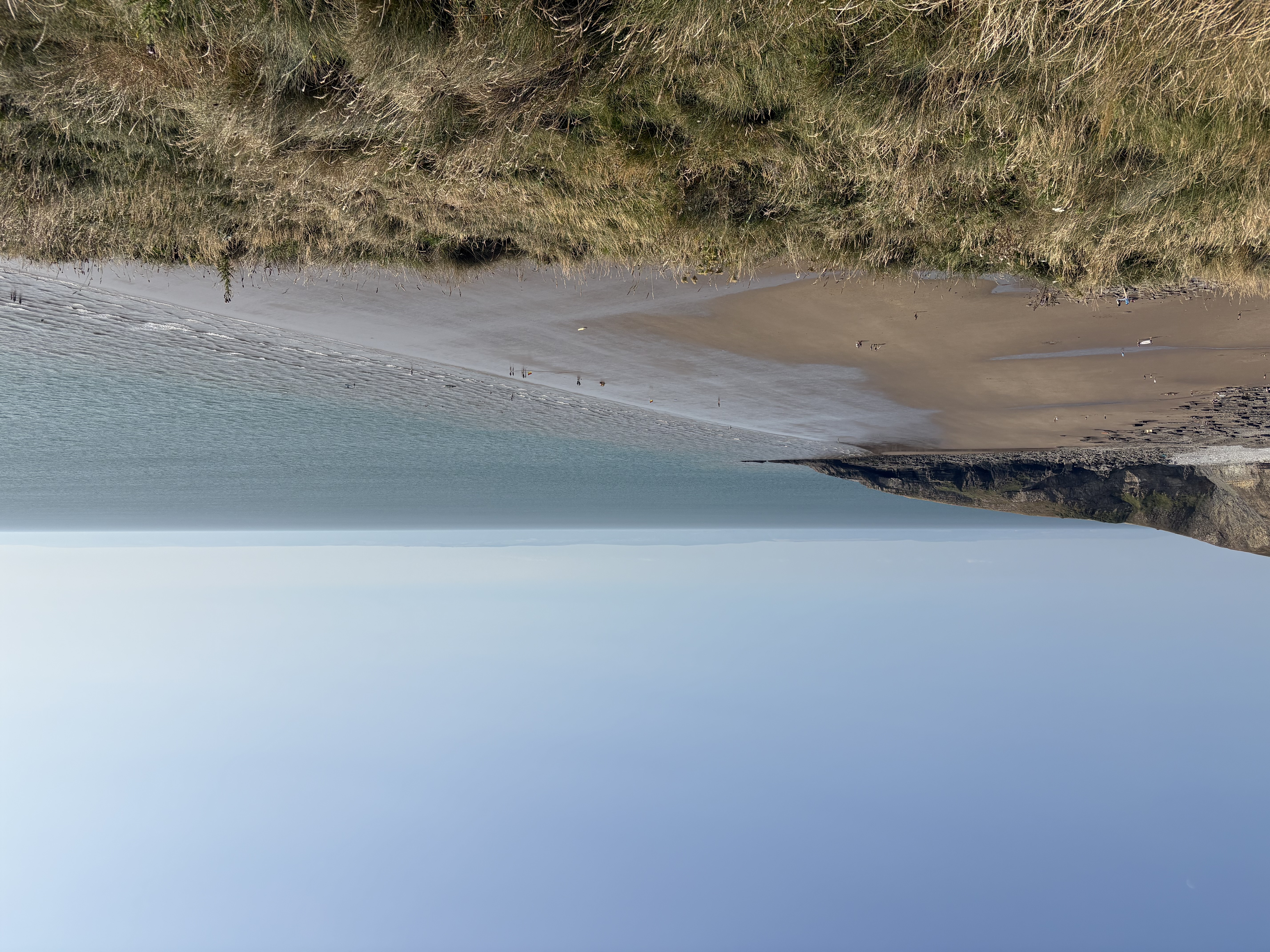
    Yesterday evening after work we drove to the coast, where I took the photo that features on this post. It’s a view of Southerndown Beach, on the south western coast near Cardiff. One of my favourite spots near us and absolutely stunning all year round. The sea breeze and fresh, salty air were a world away from the reality we had woken up to at 3am that morning, smoke and smell of acrid burning filling the house, making me worry for a few minutes that something was on fire. It wasn’t, everyone was safe. Or rather, we were safe. The smoke and smells came from wildfires which are still burning, consuming hundreds of hectares. Not on the scale of the fires in Southern Europe or elsewhere in the world, but enough. It’s only added to the summer of prolonged hot and dry weather, still unusual in Wales, where rain used to be the order of the day, and water shortages.

    All of this goes to say that my focus on sustainability and the environment has only deepened, and extended from what we can do at home and locally, to how I work online. I am also teaching and coaching on digital sustainability in education in the next academic year, and this has inspired my to test a few of the approaches for myself. In this post I share a few of the things I tried and how I got on.

    Tech and the environment

    The environmental impact of tech, for example the natural resources used by large scale data centres, have gained a lot of visibility in the news across the world. Similarly, there is a lot of information available here in the UK about digital sustainability, specifically for Higher Ed, for AI and for the tech sector in general, most of which is focused on what sectors and/or large organisations can and should do.

    Whilst really informative, high level reports are hard to apply to one’s professional practice, and so I started with this toolkit https://datadetoxkit.org/en/environment/internet . Some of the resources it links to are a few years old now, but I found it a useful starting point and it’s key recommended actions align closely with those I came across in this blog post which in turn inspired me to come up with my own three broad categories to work on.

    1 Decreasing my digital footprint

    At the start of last year I reviewed my digital tech stack and looking back at these posts makes it clear how much progress I have made in streamlining my online platforms and services and declutter my digital domains.

    Blog

    This blog, my home on the web, continues its happy life on Reclaim Hosting, where it’s been for more than a decade. Over the past few months I have however streamlined it considerably, and retired and deleted many old pages and old content that has become obsolete. Not blog posts, I hasten to add, as I wish to keep them, but still content that is no longer needed and which just takes up space and energy. I have also stopped sending out my newsletter via the blog, for which I had set up several services like Mailgun and Mailpoet. Instead, I have simplified it into a monthly post that is publicly available without a subscription and I also send it out via LinkedIn.

    Business website

    My business website quickly ballooned once I started working for myself on a full-time basis. Within a year it grew to host several online courses, resources, a dedicated coaching blog and plenty of other content. Whilst it was useful at the time, I was keen to move it away from Squarespace (originally chosen for its course building functionality) and simplify GDPR compliance and so forth, so a very paired back version of the site has now moved to an independent UK-solution that runs on renewable energy. The rest has been deleted, and I have just kept the bits I want to re-use at a future point.

    Emails and documents

    One of the last items on my list to tackle was the VERY long tail of emails and documents accumulated. Martin recently blogged about unsubscribing from things, and I have likewise undertaken a great cull of emails and documents. I’ve deleted tens of thousands of emails and cleared out document storage across several accounts. Depending on where you keep your mail, that can be quite tricky, as platforms such as Outlook only archive things instead of actually deleting them unless you make the effort to go in and specifically delete them. By comparison, Gmail is quite good at offering bulk deletion options, but still takes time to actually do it.

    Meanwhile my archive of digital documents also had a clear out. 5 copies of the same invoice from 2014? Deleted. Ten versions of an article I published in 2019? Deleted. Notes from PhD interviews from 2003? Deleted. It takes a lot of time to sift and select what to retain and what to delete, but it’s intensely satisfying, practically helpful and has reduced my storage needs for documents by around 70%.

    Photos and videos are next, although I must admit I haven’t yet tackled them because I struggle to manage competing platforms from various stages of my life. At the moment I try to make physical albums, books and prints periodically just in case the digital versions all get lost at some point, and I try to keep only my favourite versions of photos rather than ALL the attempts taken. But that is definitely work in progress.

    Thanks to Karen Howie, who in response to this post shared a tool tip for managing images with me: digiKam is a free and open-source image organizer and tag editor.

    Productivity

    Some of the other tools I reviewed last year I have stopped using all together: Canva, for example, I stopped using, once its AI integrations became more of a hindrance than was worth it for me. Instead, I bought Procreate which I use to create visuals using my own artwork and photos. Similarly, I’ve stopped using Asana as a planning tool for myself, and instead simplified my internal ways of working back to a spreadsheet and a simple to do list. As I have gotten more and more busy I want to spend less time seeing little animations of unicorns every time I complete a task and for a business of one the AI-enhancements are simply annoying.

    Zoom is on its way out, even though I still haven’t found a really good alternative to it, but I’ve been able to drop down several subscription levels, and I have cleared out historic recordings no longer needed. Good business practice and good for decreasing my digital footprint as well as costs.

    Google Workspace meanwhile, long my favourite digital workspace, is slowly turning from super productive to less than ideal, and that I am sad about. By trying to be smarter for large organisations the things I want to be able to do are becoming not only more convoluted and difficult, but also disrupted by endless marketing presented as system messages. I am not impressed. And yet, I am not quite ready to swap it for an alternative as at the moment its affordances are still greater than what is annoying.

    Overall, how are things going when it comes to decreasing my digital footprint? Progress score: 7/10 (this is an arbitrary score, by which I mean I feel I have done about 70% of the things I am aware of and able to do).

    Next up on my journey to greater sustainability are tackling the ways in which I work and managing the material, the physical side of things. More on those in the next post.
  • Open EdTech Advocacy: From Experiment to Enterprise Service

    Open EdTech Advocacy: From Experiment to Enterprise Service

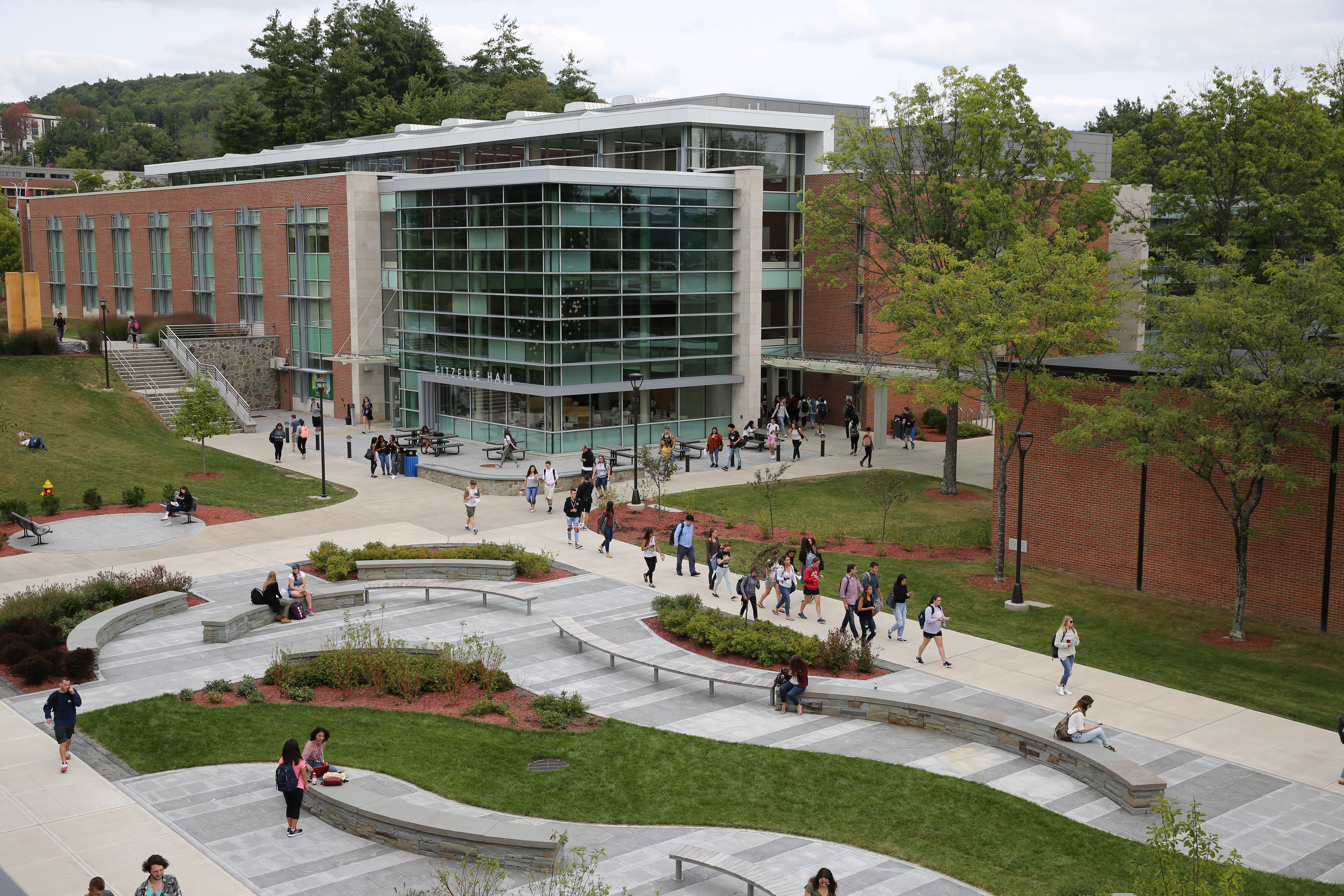
    It’s been a joy to work on a new case study for Reclaim, this time featuring Ed Beck and his work on the SUNY Oneonta OpenLab. The case study is out now, and openly available, so you can have a read for yourself:

    https://blog.reclaimhosting.com/case-study-suny-oneonta-openlab

    In this case study “Ed Beck shares insights into what it takes to move an open-source software solution from experiment to enterprise service. He also explores how to win the support of colleagues and secure the funding needed to build, scale, and future-proof such projects from the outset.”

    It’s always interesting to hear Jim Groom’s interviews with pioneering practitioners such as Ed, and this conversation was no different: there was enough material to produce several case studies. Which is why we’re recording another interview with Ed, which is due to air very soon on Reclaim TV, this time taking a deeper dive into some of the themes that came out of the original conversation: namely how to win the support of colleagues and secure the funding needed to build, scale, and future-proof open source projects from the outset.

    During the recent Open Education Week, I was reminded again and again how much scope there is to scale use of Open Source technologies and Open EdTech, and just how much advocacy and practical support is needed to continue to educate and empower edtech professionals to make that happen. With any luck, I’m hoping to talk more about this and similar projects at the upcoming ILTA Annual Conference in Dublin in June.

    Watch the stream over at Reclaim TV on 20 March at 5pm GMT, or catch the recording later on archive.reclaim.tv or Reclaim’s YouTube channel!

  • Mission complete: Tech Stack IV

    Mission complete: Tech Stack IV

    At the start of the year I undertook a review of my tech stack, i.e. the tools, platforms and services I use in my professional practice. My aim was twofold: first up, I wanted to make sure I am not paying for services or subscriptions I don’t actually make good use of, and secondly I want to make sure that the technology I do use is, wherever possible, aligned to my values including my commitment to openness in education and technology. I blogged my progress as I went along and you can look back at the previous posts in this series if you’d like more detail:

    Having completed the majority of what I intended to do, and as things have developed since, I am revisiting a few of my objectives and adding some new ones as I develop my work in the coming months and years:

    Dead ends

    One of my key objectives was to move from Zoom to another tool, and despite finding and trying several alternatives I have not made the move away from Zoom. Sigh! Unfortunately none of the alternatives worked within my workflow and didn’t quite meet the needs of my clients either. So for the time being at least I am going to continue using Zoom.

    I also continue to move away from Meta social media platforms and reviewing my social tech stack felt timely given how much everyone has and is moving away from networks and into DM groups, newsletters and offline life. That said, I feel reluctant to move away from Instagram for the time being and there is a sense for me at least that the continued fragmentation of my online interactions requires more thoughtfulness, energy and resources than I have at times. Hopefully federated social web elements become more integrated in the coming year. Here’s hoping.

    AI choices

    In most of the platforms and services I use AI powered options are becoming the norm, and for my practice I don’t feel I need to use them (and save some energy along the way). This is a space in which I want to make thoughtful choices and I am trying to opt out of offered upgrades if they are not important to me and my work.

    There is one service in particular, Canva, that despite its utility, feels like it is becoming less helpful to me by the day (in its efforts to appear more and more helpful). So my sense is that over the coming year I will learn to use other tools instead and move away from it.

    Tools for the job

    One of the things I reflected on as I was reviewing the technology I use is whether I have the right tools for the job, and some of the things I didn’t really write about are all the analogue technologies and tools I make use of. It’s all about finding the right range of tools for the job, and there is a bit of a gap in my set up when it comes to translating my ideas from pen and paper to the digital realm and printing. Hmmmmm . Definitely more thought needed.

    Subscribe to my newsletter!

    [newsletter_form type=”minimal”]
  • Working on the ‘Princeton University: Domain of One’s Own’ Case Study

    Working on the ‘Princeton University: Domain of One’s Own’ Case Study

    It’s been a lot of fun to help establish a new blogging community of practice with Jim Groom and the team at Reclaim since that start of the year, and you’ll no doubt hear more about blogging from me as the year goes on 🙂

    Alongside that project however I have also had the opportunity to write some case studies based on interview conversations Jim leads, and the first of these has recently been published on the Reclaim blog: Princeton University: Domain of One’s Own . As a Higher Ed case study this piece focuses on a six month’s project of a large scale server migration.

    This case study shows how the collaborative effort between the Office of Information Technology, their campus partners and Reclaim Hosting, ensured the desired outcome for stakeholders across campus, resulting in the successful and timely completion of the project [and includes] take aways which will help replicate the success of this project for future initiatives.

    It’s a unique opportunity for me to hear how amazing teams at world-leading institutions make educational technology work in the long term, and find out how they find a path through the sometimes messy reality of serving the diverse needs of an academic community in a fast moving technology landscape.

    Listening to the interviews it also strikes me how much the technology itself recedes into the background. Although the technology is what we’re talking about, it is the people that draw the focus: the large spectrum of users who bring their individual needs, deadlines and digital literacy to the work at hand, liaising with the teams on campus who navigate their projects within a complex framework of institutional policies and practices alongside a myriad of teams and directorates, and at the other end the expert team at Reclaim who are supporting the work with technical expertise, troubleshooting and their years of experience.

    Work on the next case study is already underway, and I am really looking forward to seeing this one published and to add to this body of work that tells a story of open, independent EdTech in Higher Ed right now (and that’s a story I don’t hear all that much about elsewhere just now).