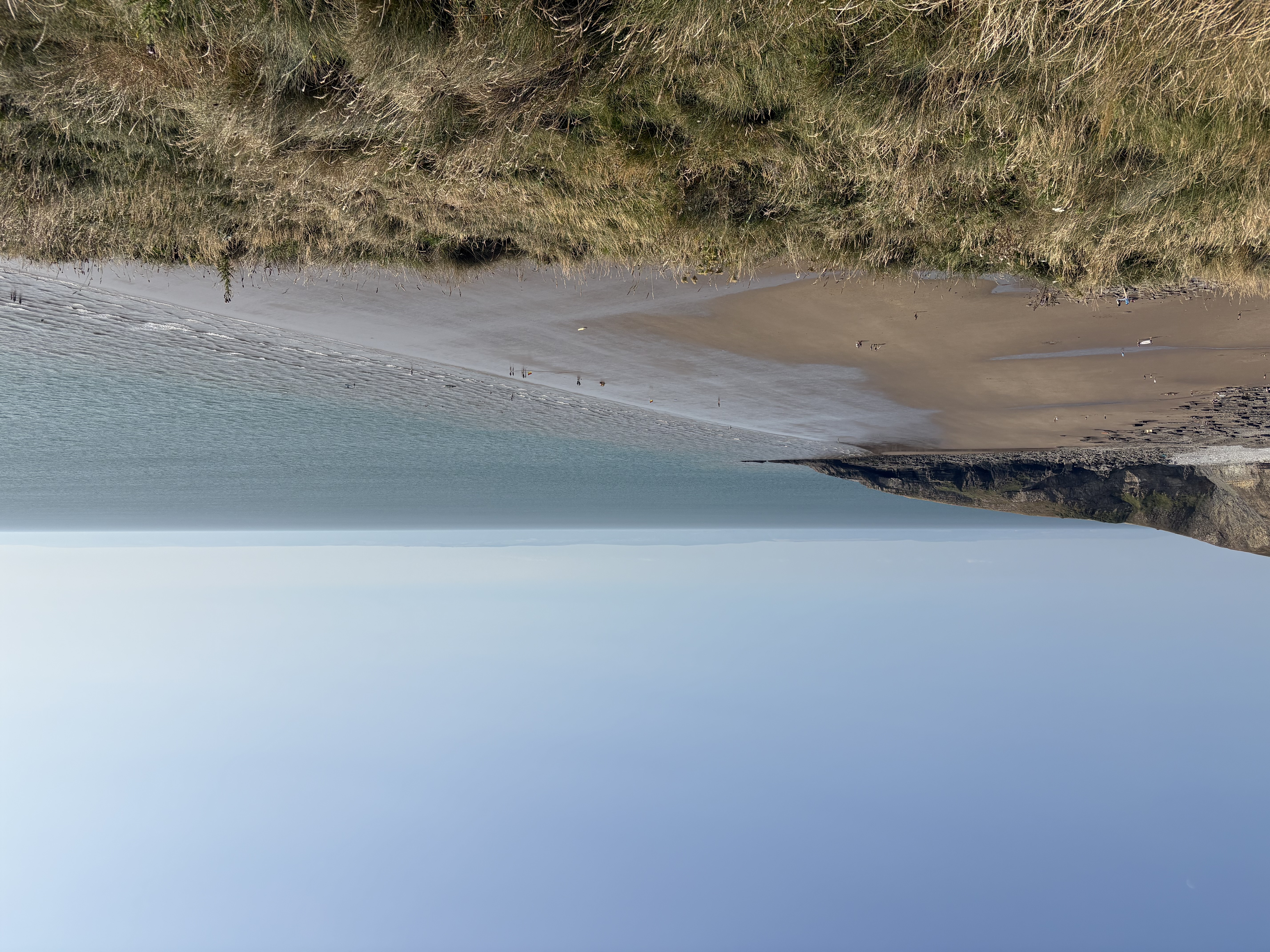
Yesterday evening after work we drove to the coast, where I took the photo that features on this post. It’s a view of Southerndown Beach, on the south western coast near Cardiff. One of my favourite spots near us and absolutely stunning all year round. The sea breeze and fresh, salty air were a world away from the reality we had woken up to at 3am that morning, smoke and smell of acrid burning filling the house, making me worry for a few minutes that something was on fire. It wasn’t, everyone was safe. Or rather, we were safe. The smoke and smells came from wildfires which are still burning, consuming hundreds of hectares. Not on the scale of the fires in Southern Europe or elsewhere in the world, but enough. It’s only added to the summer of prolonged hot and dry weather, still unusual in Wales, where rain used to be the order of the day, and water shortages.
All of this goes to say that my focus on sustainability and the environment has only deepened, and extended from what we can do at home and locally, to how I work online. I am also teaching and coaching on digital sustainability in education in the next academic year, and this has inspired my to test a few of the approaches for myself. In this post I share a few of the things I tried and how I got on.
Tech and the environment
The environmental impact of tech, for example the natural resources used by large scale data centres, have gained a lot of visibility in the news across the world. Similarly, there is a lot of information available here in the UK about digital sustainability, specifically for Higher Ed, for AI and for the tech sector in general, most of which is focused on what sectors and/or large organisations can and should do.
Whilst really informative, high level reports are hard to apply to one’s professional practice, and so I started with this toolkit https://datadetoxkit.org/en/environment/internet . Some of the resources it links to are a few years old now, but I found it a useful starting point and it’s key recommended actions align closely with those I came across in this blog post which in turn inspired me to come up with my own three broad categories to work on.
1 Decreasing my digital footprint
At the start of last year I reviewed my digital tech stack and looking back at these posts makes it clear how much progress I have made in streamlining my online platforms and services and declutter my digital domains.
Blog
This blog, my home on the web, continues its happy life on Reclaim Hosting, where it’s been for more than a decade. Over the past few months I have however streamlined it considerably, and retired and deleted many old pages and old content that has become obsolete. Not blog posts, I hasten to add, as I wish to keep them, but still content that is no longer needed and which just takes up space and energy. I have also stopped sending out my newsletter via the blog, for which I had set up several services like Mailgun and Mailpoet. Instead, I have simplified it into a monthly post that is publicly available without a subscription and I also send it out via LinkedIn.
Business website
My business website quickly ballooned once I started working for myself on a full-time basis. Within a year it grew to host several online courses, resources, a dedicated coaching blog and plenty of other content. Whilst it was useful at the time, I was keen to move it away from Squarespace (originally chosen for its course building functionality) and simplify GDPR compliance and so forth, so a very paired back version of the site has now moved to an independent UK-solution that runs on renewable energy. The rest has been deleted, and I have just kept the bits I want to re-use at a future point.
Emails and documents
One of the last items on my list to tackle was the VERY long tail of emails and documents accumulated. Martin recently blogged about unsubscribing from things, and I have likewise undertaken a great cull of emails and documents. I’ve deleted tens of thousands of emails and cleared out document storage across several accounts. Depending on where you keep your mail, that can be quite tricky, as platforms such as Outlook only archive things instead of actually deleting them unless you make the effort to go in and specifically delete them. By comparison, Gmail is quite good at offering bulk deletion options, but still takes time to actually do it.
Meanwhile my archive of digital documents also had a clear out. 5 copies of the same invoice from 2014? Deleted. Ten versions of an article I published in 2019? Deleted. Notes from PhD interviews from 2003? Deleted. It takes a lot of time to sift and select what to retain and what to delete, but it’s intensely satisfying, practically helpful and has reduced my storage needs for documents by around 70%.
Photos and videos are next, although I must admit I haven’t yet tackled them because I struggle to manage competing platforms from various stages of my life. At the moment I try to make physical albums, books and prints periodically just in case the digital versions all get lost at some point, and I try to keep only my favourite versions of photos rather than ALL the attempts taken. But that is definitely work in progress.
Thanks to Karen Howie, who in response to this post shared a tool tip for managing images with me: digiKam is a free and open-source image organizer and tag editor.
Productivity
Some of the other tools I reviewed last year I have stopped using all together: Canva, for example, I stopped using, once its AI integrations became more of a hindrance than was worth it for me. Instead, I bought Procreate which I use to create visuals using my own artwork and photos. Similarly, I’ve stopped using Asana as a planning tool for myself, and instead simplified my internal ways of working back to a spreadsheet and a simple to do list. As I have gotten more and more busy I want to spend less time seeing little animations of unicorns every time I complete a task and for a business of one the AI-enhancements are simply annoying.
Zoom is on its way out, even though I still haven’t found a really good alternative to it, but I’ve been able to drop down several subscription levels, and I have cleared out historic recordings no longer needed. Good business practice and good for decreasing my digital footprint as well as costs.
Google Workspace meanwhile, long my favourite digital workspace, is slowly turning from super productive to less than ideal, and that I am sad about. By trying to be smarter for large organisations the things I want to be able to do are becoming not only more convoluted and difficult, but also disrupted by endless marketing presented as system messages. I am not impressed. And yet, I am not quite ready to swap it for an alternative as at the moment its affordances are still greater than what is annoying.
Overall, how are things going when it comes to decreasing my digital footprint? Progress score: 7/10 (this is an arbitrary score, by which I mean I feel I have done about 70% of the things I am aware of and able to do).
Next up on my journey to greater sustainability are tackling the ways in which I work and managing the material, the physical side of things. More on those in the next post.