Author: Maren Deepwell

  • Virtual Teams: Checklists, kindness and Secret Santa – nudge, nudge, wink, wink, say no more

    This post continues the series on openly sharing our approach to leading a virtual team – a joint project with Martin Hawksey (cross-posted here) for which we write a monthly blog post.

    November

    This month we discuss checklists, how each of our staff invented their own scale to rate their week and treating others with kindness.

    Maren: I’ve been thinking about how to make time for both urgent and important things, and at the same time to reserve enough space for impromptu collaboration. This article on using G Suite to improve team performance via intermittent interaction for example argues that agile communication and collaboration is more effective than regularly scheduled interactions – but it’s much harder to do well in my experience. Following on from last month’s post in which we discussed trello and jamboard one of the things we have since implemented are some new checklists, for areas like payroll, GDPR and tech maintenance that cover regular, important tasks for the team, but aren’t related to urgent deadlines. I’m a big fan of checklists (and their history in aviation and healthcare in particular) and find them very effective in a team like ours and in particular for things that we don’t work on every day. We complete the checklist individually but we have a prompt at team meetings and then review the results together, which gives us space to raise questions. For me, another upside is that I spent less time on something that’s routine, if important, freeing me up for other things. As a recent development in our approach to leading the team, what are your thoughts on this?

    Martin: An aspect of checklists, particularly if they are shared, I hadn’t really considered until recently was how they can be used to ‘nudge’ team members. Nudge theory was something I first heard about many years ago talking to a contractor who worked with the UK Government, in part supporting the British Cabinet Office Behavioural Insights Team, also known as the “Nudge Unit”. It was only recently at the Scottish ELESIG that I first heard it being referenced in a learning and teaching context. This also got me thinking about nudges in distributed teams. I’ve no experience in behavioural science and I should also say I can see the dangers of going down a ‘nudge management’ route, but I can also see the value in exploring some aspects of ‘nudges’. An interesting paper I came across was Nudge management: applying behavioural science to increase knowledge worker productivity (Ebert and Freibichler, 2017). This paper highlights a number of nudge tactics and it’s interesting to see that things like quarterly reporting of goals/milestones is something we already do. I can also see parallels with some of the examples reported and the G Suite article and models of collaboration you mentioned earlier. It is unlikely we will get a Google style micro kitchen and I always wonder if there is more we can do to create opportunities for the informal exploration of ideas. Back to checklists I see one advantage of using these is it becomes easier for us to see who has and hasn’t completed activities … nudge, nudge, wink, wink say no more.

    Maren: I don’t like the term nudge management much, but it’s a very useful idea and so is the article once I got past the terminology. One benefit of using approaches like this in a small team rather than in a huge corporation like Google is being able to take an agile, informal approach to reiterating checklists: for example when a colleague added something new to their own checklist this week, we identified this as a gap and added it to the template for everyone. Two minutes work resulted in an immediate improvement. Similarly, being able to see an overview of everyone completing a monthly GDPR checklist makes the process more transparent and shows that everyone is participating. It improves communication in a very time effective way. Being a small team we can sometimes take a more playful approach as this week’s team meeting demonstrated. We often incorporate a check-in into team meetings, where we quickly and informally share how we are doing and how busy we are. That started as rating your week out of 10 (10 = the busiest) and has gradually turned into everyone rating their week on their own scale, be that a colour or phrase or similar metaphor. With a small team, that works because it still fulfills the purpose of the exercise: taking a step back and checking in with yourself, sharing that with everyone without being competitive and giving us a better sense of how everyone is doing. How individuals choose to rate their week, what scale they apply, also tells you a lot: it reflects their personality or mood, how they integrate with the team, how much of a sense they have of how they’re doing… it helps to fill the gaps formal reporting or catch ups can’t. We have established such a strong foundation in the team meetings process that we can now have more freedom to ‘personalise’ parts of it, like the check-ins. The way I see it, the better the structures we as a team have are and the more we trust them, the more freedom we have. I’m really interested in the relationship between those structures and the agility they can bring. Does that make sense to you?

    Martin: Being able to express ourselves is a good thing, I’ve never considered if it was more or less important for distributed teams. I think it certainly helps when there is work pressure on and the degree of informality perhaps provides a foundation in creating a culture for the ‘informal exploration of ideas’. I can also see the benefit of moving to a more abstract and personal scale. I think one issue with a 1 to 10 scale is it can potentially become a little divisive, particularly within a virtual team context. For example, Bob says he’s a 9, Margaret thinks ‘how is Bob a 9!?’, in part because in a distributed setting it’s hard to see how hard Bob is working. Equally John might feel like a 6, but at the same time feels guilty that Bob is a 9. With everyone using their personal scale it becomes less quantifiable and more of a personal reflection which is less open to judgement. Using scales hopefully also creates opportunities for the ‘humble brag’. I know this month you’ve shared a post on the  ‘Virtual no Distant’ blog on sharing success. In this post it highlights, perhaps on questionable research, the increased importance of sharing when things go well. As someone who usually has to be reminded to share my achievements I can see the benefits of this approach. In particular, where I see this fitting in is you might be ‘code red’, but that because the thing you were working on has been a huge success, the downside being it’s created more work. How do you feel about the ‘humble brag’?       

    Maren: Hmmmm. I’ve written posts like How to share credit and praise yourself… reflecting on the value of (deserved) recognition and Don’t think you are brilliant? Think again… – so I have given this quite a lot of thought. Alongside terms like ‘imposter’ or ‘lurking’ I have ambivalent feelings about ‘humble bragging’ (i.e. to make an ostensibly modest or self-deprecating statement with the actual intention of drawing attention to something of which one is proud). On the one hand, modesty and humility are good qualities to have. On the other hand, it’s essential to learn how to assess one’s professional achievements and articulate them. Too often, particularly in our cultural context, professionals are unable to do that effectively (and incidentally this is something I come up against frequently as a CMALT assessor). I find that sometimes ‘humble bragging’ is less a reflection of personal modesty and more to do with not really reflecting on progress, or not being able to understand one’s role within a team, one’s contribution and why it is important. Not being able to say ‘I did this…’ or ‘It’s my responsibility to…’ can make it much harder for others to understand what the other person’s role is and to respond accordingly. That’s why a few years ago we introduced 360 degree feedback for everyone as part of our annual appraisal process. It’s a regular opportunity to practice giving and receiving feedback, both good and bad. That said, any form of sharing the highs (and lows) of our work is important and welcome, ‘humble brag’ included! I’m generally very communicative at work and I’m confident enough to share both success and failure. I try to be honest about things that go wrong because I want to show that it does happen and how to deal with it. But I appreciate that this is much harder for some and at times maybe a ‘humble brag’ is the best strategy, maybe the only way to communicate. Our job, leading a team, is to listen and acknowledge that achievement no matter how loudly or quietly it may be voiced. For me, it’s also about treating others with kindness (which is also why I am mentioning our postal Secret Santa, sending a little kindness to each other each December).

    Martin: As tempting as it is to put ‘Secret Santa’ under the lens of ‘nudge management’ perhaps we should end here and show dear reader some of our own kindness and wish you all a wonderful holiday season and we look forward to sharing more of ALT’s journey in becoming a virtual team in 2019.

    Other things we’ve been reading:

  • Virtual Team outtakes: using voice recognition for reflection

    Since we started this monthly blog series openly sharing our approach to leading a virtual team,  Martin and I have often talked about how useful the process of writing the monthly posts in itself has become: it makes us make time to focus on things we may not otherwise dedicate as much time to, it prompts a joint process of reflection and improves communication.

    I’ve often written about how important reflection is to my professional practice, and I use different tools for different types of reflection: this public blog, a private blog, some drawing/making activities, walks and conversations and I value each one for different reasons. But recently I have found that I have struggled to write down/type everything I have on my mind, and so I have started to use the dictation tool on my phone – with interesting results.

    Mobile instead of laptop: First, using dictation allows me to use my phone rather than a laptop to write my reflective posts. I much prefer that, particularly at weekends or in the evenings as it makes it feel less like work. Although the interface for one of the blogging platforms I use isn’t optimised for mobile, I still find this way of producing a reflective post much more convenient and comfortable.

    I talk faster than I can type: and thus, I now add a lot more than I did before. The posts are longer and more spontaneous because instead of carefully constructing sentences, I speak my mind more. It’s a different tone and takes less time than typing the same amount of narrative would have done.

    Less self-editing: although most of what I use dictation for ends up in a blog which I don’t share with anyone else, I find the process of talking about my day or week is far more frank now than when I was typing. Not something I had expected, but it is an interesting by-product of this way of working.

    More like a conversation: one of the real benefits of writing collaboratively is that it is more like a conversation. But not everything I reflect on lends itself to being shared and I find talking to my blog rather than writing in it is much closer to the kind of dynamic that I might get from having a conversation or telling someone about things on my mind. I say more things that I may not have expected, realise that things are important or have bothered me more than I would have done when I was typing the words. I have hundreds of posts to compare from the past few years and the tone of the voice posts is very different.

    Saying it out loud: for me, reflective blogging has always felt quite similar to writing a journal and over the decades I have written many journals in different formats. But sometimes being good at writing things down can make it harder to talk about something, to say it out loud. Dictation like this can really help you practice articulating your thoughts to someone else as well as to yourself. It also improves self realisation in my case. The other day I felt angry about something and when I said it out loud I realised how angry I really was. It helped me better reflect because it helped me understand more fully how I felt – to pause and realise, that is how things are in my mind. The feelings dissipated quickly, but the realisation stayed with me.

    Some pitfalls: dictation does require privacy. At least in my case there would be no point doing this if I felt someone else might be listening. Also, the voice recognition in iOS, which is what I am using, is pretty good – but it’s not perfect. It’s worth reading along or reading through the text afterwards as there can be some funny mistakes to correct. It takes only a few minutes, but still effort.

    It’s actually recording a podcast episode earlier this year that made me try voice recognition for reflective blogging and I am curious to see how future editions of the joint series may develop as we revisit that format. For now, I am going to keep experimenting in my own practice.

  • ‘Learning Technology in Higher Education – challenges and opportunities’ – SEDA Conference keynote

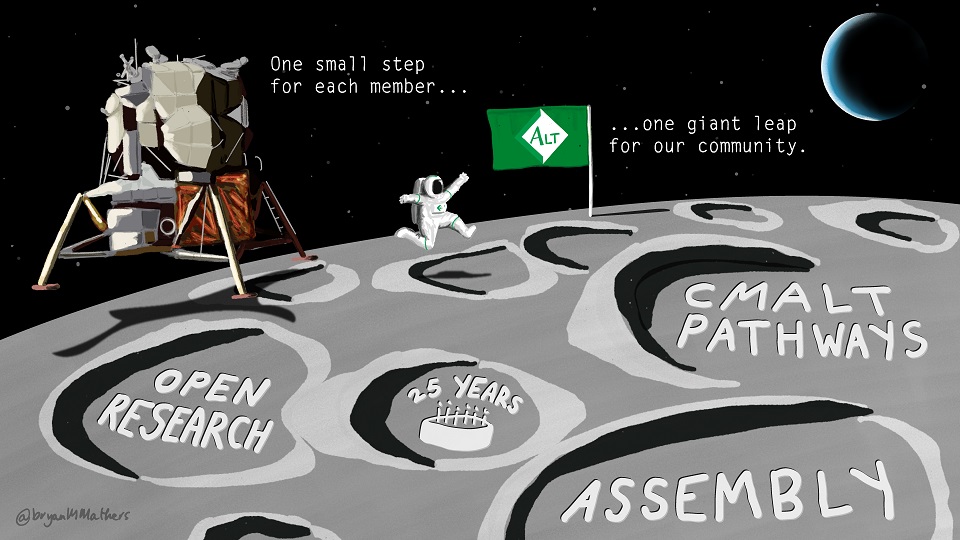
    I was delighted to be invited to speak at this year’s SEDA conference. It’s a special honour this year, as both SEDA and ALT are celebrating their 25th anniversary and my talk followed inspiring keynotes by Pauline Kneale, Pro Vice-Chancellor, Teaching and Learning, from Plymouth University and also Julie Hall, Professor of Higher Education and Deputy Vice Chancellor, Solent University Southampton as part of the conference programme.

    Here is the abstract of my talk:

    This talk will address the major themes of the conference – ‘meeting challenges’ and ‘supporting staff’ – from the perspective of learning technology, exploring recent developments in this area and discussing their relevance and implications for educational development and for the work of educational developers. For example, my review of initiatives and key developments from the work of the Association for Learning Technology (ALT) will include exploration of our new pathways to professional recognition and accreditation and discuss how these are mapped to other frameworks, including the UKPSF, QTL and Jisc’ Digital Capabilities. There are significant strategic challenges facing the sector and this talk will critically reflect on how we are solving these, sharing examples of research and practice from the ALT community and relating these to the  larger questions they pose in relation to ethics, student welfare and the future of technology in education. 

    As well as looking at some of the challenges, my talk explored how we meet them and how things are changing, specially in relation to how we engage students – and how that has changed professional practice.

    One of the other areas I explored is how we are developing professionalism in Learning Technology through openness, using examples from across the ALT community, from the Open Education Special Interest Group, to the Open Access research journal and the forthcoming OER19 Conference.

    You can access all the slides and references from m talk here https://go.alt.ac.uk/SEDA18. 

  • Preview: SEDA Conference keynote ‘Learning Technology in Higher Education – challenges and opportunities’

    I am really looking forward to speaking at this year’s SEDA conference and I wanted to share a preview of my talk ahead of the event. It’s a special honour to be invited to speak this year, as both SEDA and ALT are celebrating their 25th anniversary and I look forward to hearing Pauline Kneale, Pro Vice-Chancellor, Teaching and Learning, from Plymouth University and also Julie Hall, Professor of Higher Education and Deputy Vice Chancellor, Solent University Southampton as part of the conference programme.

    Here is the abstract of my talk:

    This talk will address the major themes of the conference – ‘meeting challenges’ and ‘supporting staff’ – from the perspective of learning technology, exploring recent developments in this area and discussing their relevance and implications for educational development and for the work of educational developers. For example, my review of initiatives and key developments from the work of the Association for Learning Technology (ALT) will include exploration of our new pathways to professional recognition and accreditation and discuss how these are mapped to other frameworks, including the UKPSF, QTL and Jisc’ Digital Capabilities. There are significant strategic challenges facing the sector and this talk will critically reflect on how we are solving these, sharing examples of research and practice from the ALT community and relating these to the  larger questions they pose in relation to ethics, student welfare and the future of technology in education. 

    As well as looking at some of the challenges, my talk is going to explore how we meet them and how things are changing, specially in relation to how we engage students – and how that has changed professional practice.

    One of the other areas I will explore is how we are developing professionalism in Learning Technology through openness, using examples from across the ALT community, from the Open Education Special Interest Group, to the Open Access research journal and the forthcoming OER19 Conference.

  • Virtual Teams: Remote crisis

    This post continues the series on openly sharing our approach to leading a virtual team – a joint project with Martin Hawksey (cross-posted here) for which we write a monthly blog post.

    October

    This month we discuss ways in which we could develop our approach to virtual team leadership including dealing with critical incidents when you have a distributed workforce. Rather than sharing what we found works, we open up some of the questions we have and consider how we might find solutions that support sustainable development for a small virtual team.

    Maren: We received some really thoughtful comments in response to our last post which touched both on the discipline it takes to work from home (your own and everyone who lives with you) and also the challenges of leading a virtual team. I’ve been thinking about how we might develop our approach to that kind of leadership and there are a couple of ideas I’d like to explore: first, I’m wondering if we should open up leading team meetings. As I meet with everyone one to one my way of leading online meetings dominates in our team and more diversity might be a good thing. Also, I’m curious about tools like Jamboard we recently looked at, a virtual notice board, to mix up how we work synchronously. Different tools may also open up new ways of interacting with each other as a group.

    Last, inspired in part by this tweet I’m curious about how our team would respond to trying out new things, now that we have nearly a year of virtual working under our belt.

    Martin: Having had the experience of leading team meetings in the past the proposition of having to do this on a regular basis isn’t one that personally appeals to me. In part I think it is because there are some subtle differences with leading virtual team meetings compared to when you are face-to-face. For example, as often everyone is staring at a monitor the temptation to check on the various popup notifications increases, plus with virtual meetings I think there is a tendency, because you are not physically co-present, to feel that when you are not speaking no one is watching you. I find I often have to remind myself to pay attention and not get distracted, something I don’t think happens as much when meeting the team face-to-face. Consequently, I feel you need a strong individual to lead virtual meetings, someone who is skillful in keeping everyone’s focus and energy high, something you have in abundance. This is something perhaps Paul Hollins was alluding to in his comment on our last post when he mentioned that team directorship is a challenging area.  Would you agree different qualities are required to lead virtual team meetings compared to face-to-face?

    Maren: There are definitely differences between face to face, blended and fully online meetings or webinars, and additional skills that need to be developed incl. technical capabilities. I, for example, learnt a lot from seeing many different people lead meetings and facilitate webinars – but I also gained experience in different contexts that helped me build skills and confidence. It’s important to see different people’s approaches in order to find one that works, but there are some commonalities: listening, giving everyone the chance to participate/speak, keeping to time, preparing an agenda, being clear about the purpose of the meeting and its outcome. You describe traps that we can all fall into, a temptation to be passive or distracted, to rely on others’ momentum. Having seen plenty of people doodle, eat, doze or lurk their way through meetings whilst sitting around a table I think that particular aspect of communicating or working together is always challenging. But coming back to Paul’s comment, I’ve reflected on the challenge of managing crisis recently, something that came up in a series of posts I’ve written with my mentor, Margaret. Margaret commented on how using different ways of working together affected the quality of our interaction. For example, we would plan strategy face to face, work on procedures in shared docs or speak on the phone in an emergency. One of the biggest challenges in managing a distributed team lies in building confidence in managing a crisis and to continue to communicate in an emergency whether that’s staff illness, systems failures or external issues. It takes time and, unfortunately, experience to build trust in ways of managing a crisis when meeting in person isn’t an option. Initially, I found it really difficult that my Line Manager or mentor were a remote presence only. Sometimes I still do. On the other hand, that perspective helped me identify and develop the skills I need to provide support or manage an emergency. You and I have a lot of experience in managing different types of emergencies, but scaling that up to a bigger scale, to work for everyone in the organisation is a continuous learning process.

    Martin: It’s interesting to reflect on critical incidents and whether being a virtual team hindered our response. An incident that immediately comes to mind was last year’s ALT Online Winter Conference when the European servers for the webinar platform we use went down. My experience was the combination of chat and video Hangouts worked well and don’t think hindered our response in any way. Fortunately we also had a great support from our webinar provider which resulted in minimal impact. In some ways I think where it gets harder are moments where you are tackling a slow burn rather than an immediate crisis, like a server failure.  In these situations the danger is they are not perceived by everyone as critical but can quickly escalate to be critical if not addressed. This is where continued communication becomes essential and like you I think it can be easily forgotten particularly in a distributed environment. This is perhaps where online tools can help. At the beginning of this post you mentioned we’d been looking at Google’s collaborative meeting tool Jamboard. This basically gives you a virtual whiteboard you can collaboratively contribute to. As someone who likes using post-it notes a virtual place for sticking these is immediately attractive. I can see Jamboard and tools that have similar functionality as a way to avoid slow burn incidents, providing a way for everyone in the team to get an overview of useful information. Creating workflows or using tools everyone is happy with is always a challenge, not just for distributed teams, and creating a culture of continuous learning is very important.

    Maren: I agree with that. On the one hand it’s important to manage change by providing some continuity, like some of the strategic and operational planning tools we use and in a year full of change keeping some things the same has been a necessity. On the other hand, we’ve learnt a huge amount in the transition to operating as a virtual organisation and it makes sense that we learn from that and try out new ways of doing things. We’re already learning a lot from an interim virtual audit, and improving our new financial and payroll procedures and checklists. You point to some advantages collaboration tools could give us when it comes to managing a crisis, and there could be other upsides such as simplifying communication, creating an easy to access overview of progress and giving greater support for our team outside of meetings. I feel the additional support structure a new tool or maybe a new way of using an existing tool could provide would help give us confidence in the long run and support more learning and agile working. I’d really like to find a way to incorporate a stronger sense of progression into our weekly team meeting notes and I’d like to see whether our operations plan could become more practical day to day. I’d like a better overview of areas I don’t have active involvement in. What’s on your wish list of things to try?

    Martin: I came across an interesting series of posts by Zapier in which they’ve documented the tools they recommend for remote teams as they have grown from 6 to 20 to over 110 employees. The first two posts aren’t date stamped but I’m guessing they hit 6 employees in 2013 and 20 in 2015, and the over 110 was posted in 2017. Some tools that were mentioned in 2013 that caught my eye were iDoneThis and Sqwiggle. With iDoneThis “everybody on the team checks in daily; either in their browser or via email”, which is turned into a daily digest or analysed in a report. I can see the benefit of such a system but fear, depending on how it was implemented, it might be perceived as too draconian. Another service that was mentioned that got my attention for different reasons was Sqwiggle: “Sqwiggle is a persistent video chat room, but instead of having a live video feed on all the time like you might do with Skype or Google Hangouts, Sqwiggle takes a picture of you every 8 seconds”. We’ve previously talked about the importance of trust within remote teams and whilst I can see why people might like Sqwiggle to me it appears like surveillance technology and a shortcut to eroding trust. Sqwiggle was closed in 2016 but both Sqwiggle and iDoneThis didn’t appear in Zapier’s posts in 2015 and 2017. One tool that appears in all of Zapier’s posts is the project management service Trello. Trello is a tool I often hear about in the developer community and there are lots of posts and resources that promote it as a tool to support remote teams, including Trello’s own Trello for Remote Teams. Having had a quick look a Trello an immediate thought is can we replicate it with any of the existing tools we use like Google Keep. Ultimately I think it comes back to one of our core principles, the appropriate use of technology. Unpacking what it is we want to achieve will go a long way in helping us decide how we continue to develop remote teamwork at ALT.     

    Other things we’ve been reading:


    Missed a month? Here’re previous posts:

    • September – The serious upsides of working in pyjamas
    • August – Pizza and virtual team dynamics
    • July – Special podcast edition: Reflecting on the first six months leading a virtual team
    • June – Virtual team, face to face team day: putting our blended approach to the test
    • May – Opportunity knocks: Using GDPR to strengthen virtual teams
    • April – 3 months in… hitting our first milestones as a virtual team
    • March – Developing collaboration as a virtual team
    • February – An open perspective on organisational transformation?


  • Virtual Team outtakes: Smartwatch & homeworking

    In our most recent post on leading a virtual team Martin and I talked about the upsides of remote working and many of the comments we received highlighted ways in which people find balance between the demands of home and family life and work. That got me thinking about what makes a real difference to me day to day and took me back to contributing to David Hopkins’ Edtech Rations book, in which we shared what the most important things are, those you don’t leave home without. But when you don’t really leave home to work, what is it that makes the difference when you work from home?

    Martin mentioned wearables in the post and that prompted me to think about how I use my smartwatch when I work from home. I do have concerns about the way the watch can track so much of my activity and I have switched off some more advanced/sharing functionality because of it, but there are certain things it can do that I find really helpful:

    Alarm clock: When charging and put on its side, the watch is a great alarm clock and I use it both at home and when I travel. It’s motion sensitive so the display only comes on when needed, which I like. It shows you the time your alarm is set for and it starts to get brighter as that time approaches, helping you to wake up. All of that could easily be accomplished with a regular alarm clock of course, but I like that I can make use of the watch when I am not wearing it and travel with it without having to carry along another bulky item of technology. It also means that I can leave my phone out of reach but I can still check the time. 

    Move reminder: another aspect of the watch I really like is that you can opt in to it reminding you to move if you have sat still 50 min of the hour. Whilst I have other reminders to move, like wanting a cup of tea, or the phone ringing or a delivery arriving, this function really helps me on days when I have a lot of work to get through. It reminds me to take a break from staring at the screens as well. On a long journey it’s not always possible to take a break, but I find long train journeys much more comfortable when I move about a little regularly. With enough awareness and self discipline there is no reason why one shouldn’t naturally take breaks regularly, but I don’t always have that when I get lost in a complicated piece of work.

    Phone system: our phone system puts calls through on my computer as well as my mobile phone during work hours (I have chosen for it to do that, it’s not required). However, I am not always at my desk and I don’t always want to carry around my mobile phone either. So glancing at my watch when the phone rings gives me the chance to check whether it’s a work call or a personal call. I can answer the call on the watch, but I rarely do.

    Planning time to go running: there is one other way in which I use the watch during the week, particularly in the colder months when it gets dark early and is cold in the mornings. I set the watch to display the temperature and the time the sun sets, helping me decide when to best find time to go for a run. I don’t run every day, but for my work life balance to work I want to be heading outside once or twice during the week, and I find it frustrating to forget, finish work and realise it’s nearly dark. So having a way to remind myself of what time the sun will set (provided that it is shining to begin with) is a useful way of planning the end of my working day and I have the flexibility to finish an hour early to catch the last bit of daylight.